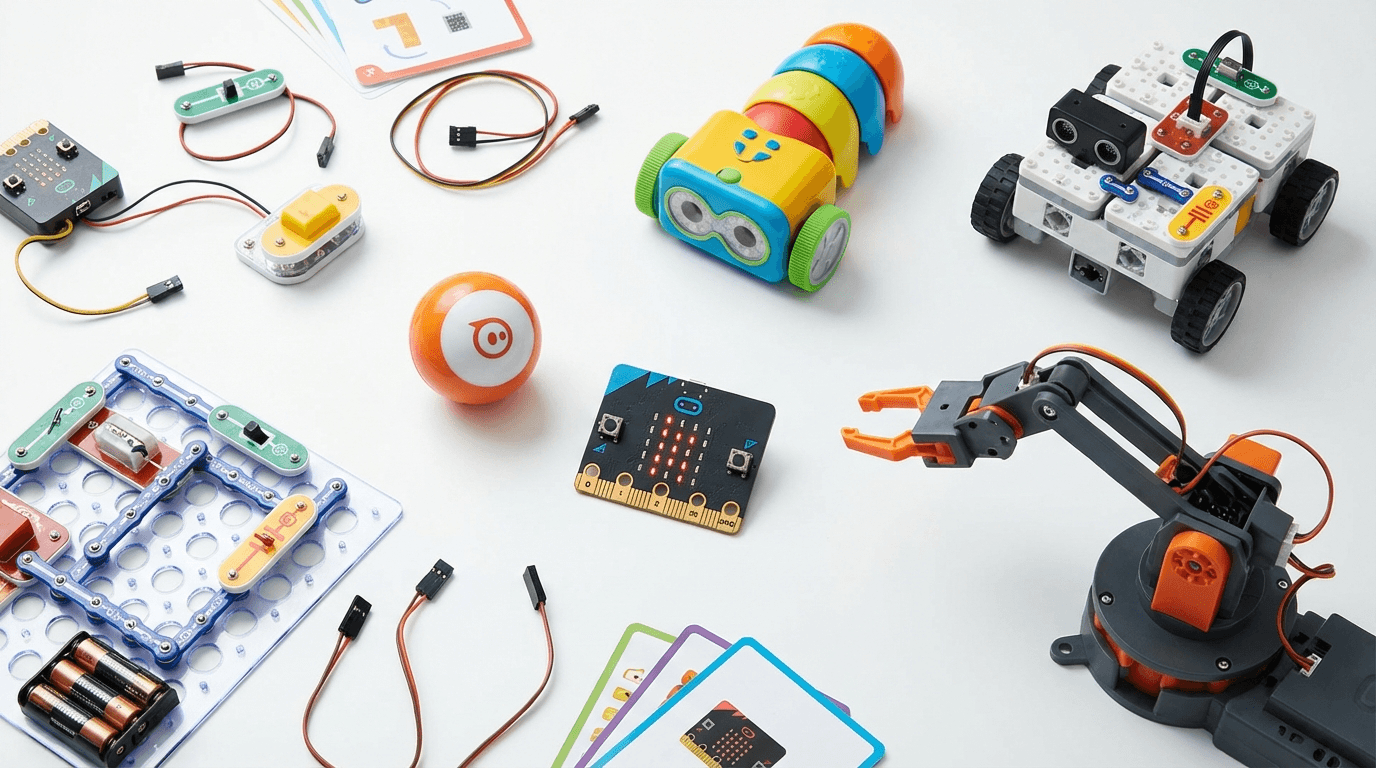
Best Coding Robots Under £100 UK 2026 — 6 Top Picks for Every Age
The best coding robots under £100 in the UK — expert picks for every age from 4 to 14. Real products, honest reviews, and where to buy in 2026.
> Affiliate Disclosure: AIToys.co.uk is reader-supported. When you buy through links on our site, we may earn an affiliate commission at no extra cost to you. Our recommendations are always independent.
You don't need to spend a fortune to give your child a brilliant start with coding. Some of the best coding toys on the market sit well under £100 — and in many cases, under £50. We've tested and researched the field carefully to bring you a list of real, purchasable products that deliver genuine educational value without breaking the bank.
Whether you're shopping for a curious 4-year-old or a motivated 14-year-old, there's a coding robot in this guide that'll match their age, interests, and your budget.
At a Glance: Best Coding Robots Under £100 UK 2026
| Product | Age Range | Approx. Price | Best For |
|---|---|---|---|
| Botley 2.0 | 5–10 | ~£50–£60 | Screen-free beginners |
| Makeblock mBot | 8–14 | ~£60–£80 | Scratch & Arduino learners |
| Edison V3 | 6–12 | ~£30–£40 | Classroom & home coders |
| Snap Circuits JR. Plus | 6–12 | ~£25–£35 | Electronics & circuits |
| Sphero Mini | 8–13 | ~£45–£60 | App-based STEM play |
| BBC micro:bit V2 | 10–14 | ~£15–£20 | Python & real hardware projects |
1. Botley 2.0 Coding Robot — Best for Screen-Free Beginners
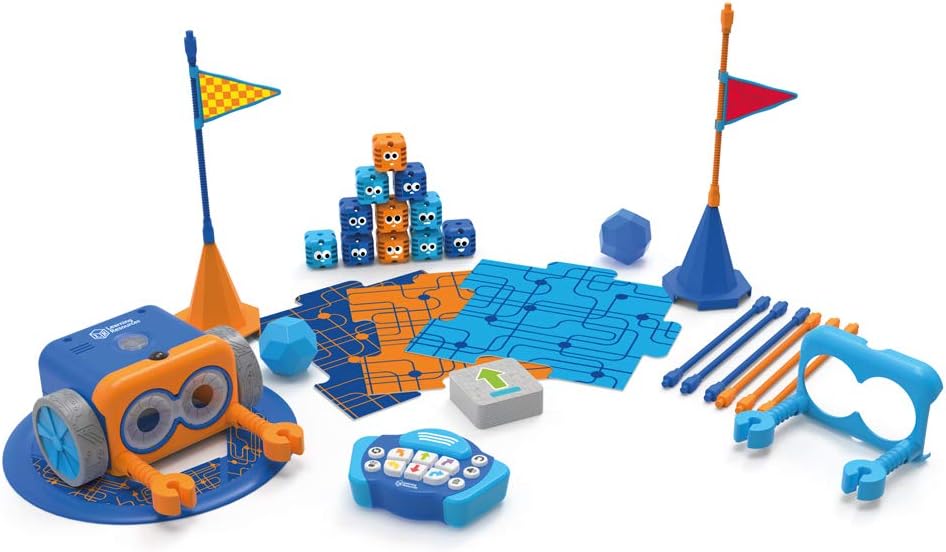
Ages: 5–10 | Approx. Price: £50–£60 | ASIN: B09RTX8SY7
Botley 2.0 by Learning Resources is the gold standard for screen-free coding in the early years. There's no app, no tablet — just a chunky, friendly robot your child programmes by pressing physical buttons on its back. It then trundles off and follows the sequence exactly as instructed.
What makes Botley 2.0 stand out is how thoughtfully it introduces logical thinking. Children lay out the maze pieces (included), programme a path, and watch Botley navigate it. If Botley goes wrong, they debug the sequence. That's real computational thinking — before they can even spell "code".
What's in the box: Botley 2.0 robot, remote programmer, 40 coding cards, 77 obstacle pieces, sticker sheets, and a storage bag.
New in version 2.0: Detachable arms, 2 new coding features (looping and conditionals), and a more robust chassis than the original.
What We Like
- Genuinely screen-free — brilliant for parents concerned about tablet time
- Introduces conditionals and loops without any jargon
- Large, colourful pieces are easy for small hands
- Activities scale in difficulty as skills develop
- UK-safe, STEM accredited
What Could Be Better
- The remote programmer takes a few sessions to get used to
- At 5, children may need guidance; best with a parent nearby initially
- Not open-ended enough for kids above 10
> 👉 Interested? Check the latest price for Botley 2.0 on Amazon UK
If you want to explore screen-free options further, our guide on screen-free vs screen-based coding toys breaks down exactly when each approach is best.
2. Makeblock mBot Coding Robot — Best for Scratch & Arduino Learners
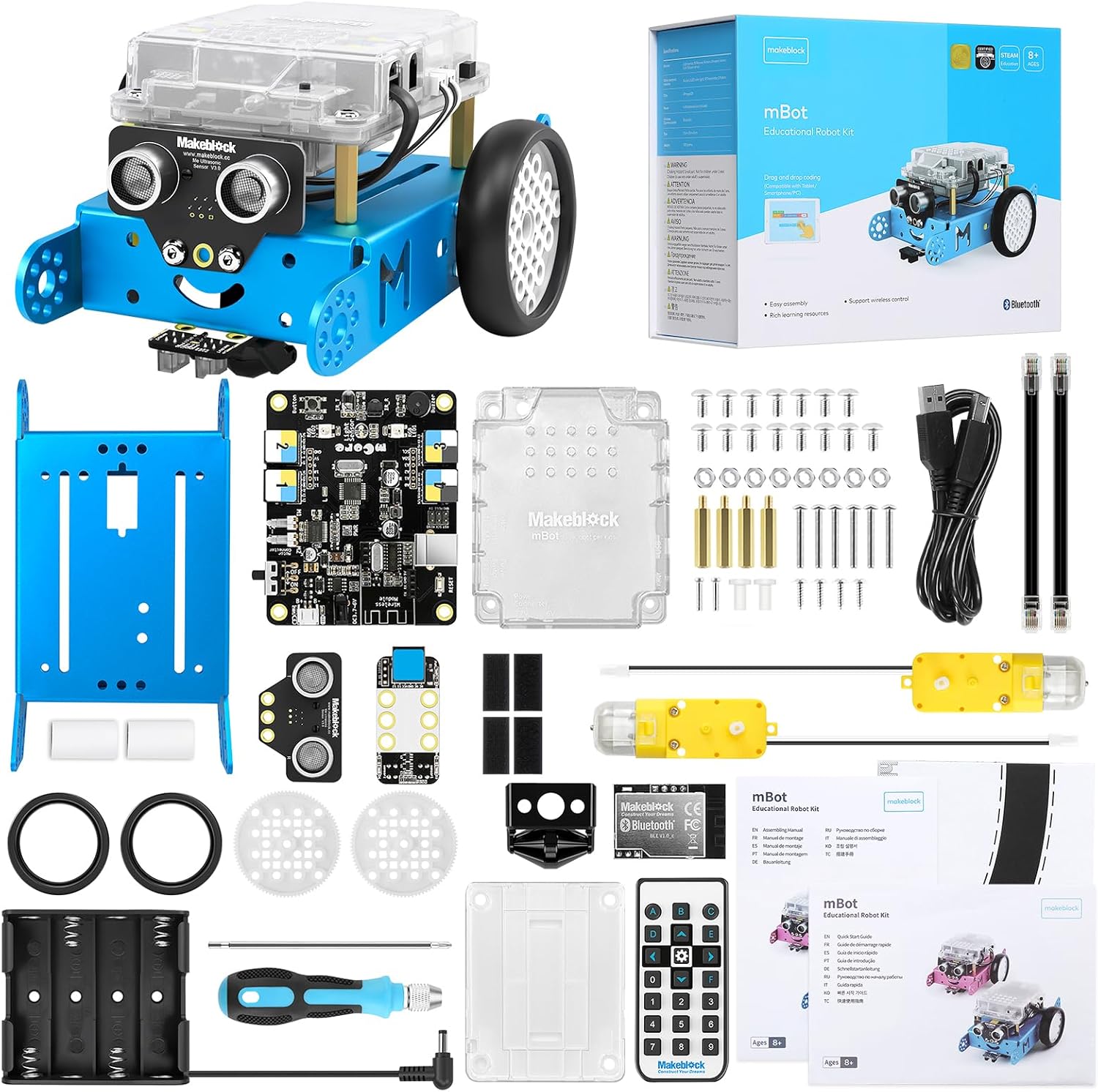
Ages: 8–14 | Approx. Price: £60–£80 | ASIN: B0BTHFVKFH
The Makeblock mBot has been a classroom staple for years — and with good reason. It's a genuine dual-programming robot: start with Scratch (drag-and-drop blocks for younger or less experienced coders) and graduate to Arduino C++ when ready. That growth path makes it one of the best-value coding robots on the market.
The latest version features improved sensors (line-following, obstacle avoidance, light detection), a more durable chassis, and a brighter LED matrix. Assembly takes about 15-20 minutes and is intentionally designed to be part of the learning process — your child sees how the electronics connect before they programme them.
What's in the box: Pre-assembled mBot robot, 2.4GHz wireless controller, micro USB cable, instruction booklet, and screwdriver.
What We Like
- Scratch and Arduino support gives it genuine longevity
- Line-following, obstacle avoidance, and light detection built in
- Large active community with shared projects online
- Strong STEM credentials — used in UK schools
- Bluetooth control via smartphone app as well
What Could Be Better
- Less beginner-friendly than Botley 2.0 for under-8s
- The app UI could be more polished
- Advanced Arduino features require parental or teacher support
> 👉 Interested? Currently available on Makeblock mBot — Amazon UK. Prices may vary.
For a deeper look at how the mBot fits into a coding journey, see our guide on choosing your first coding robot.
3. Edison V3 Robot — Best Value Coding Robot for Schools & Home
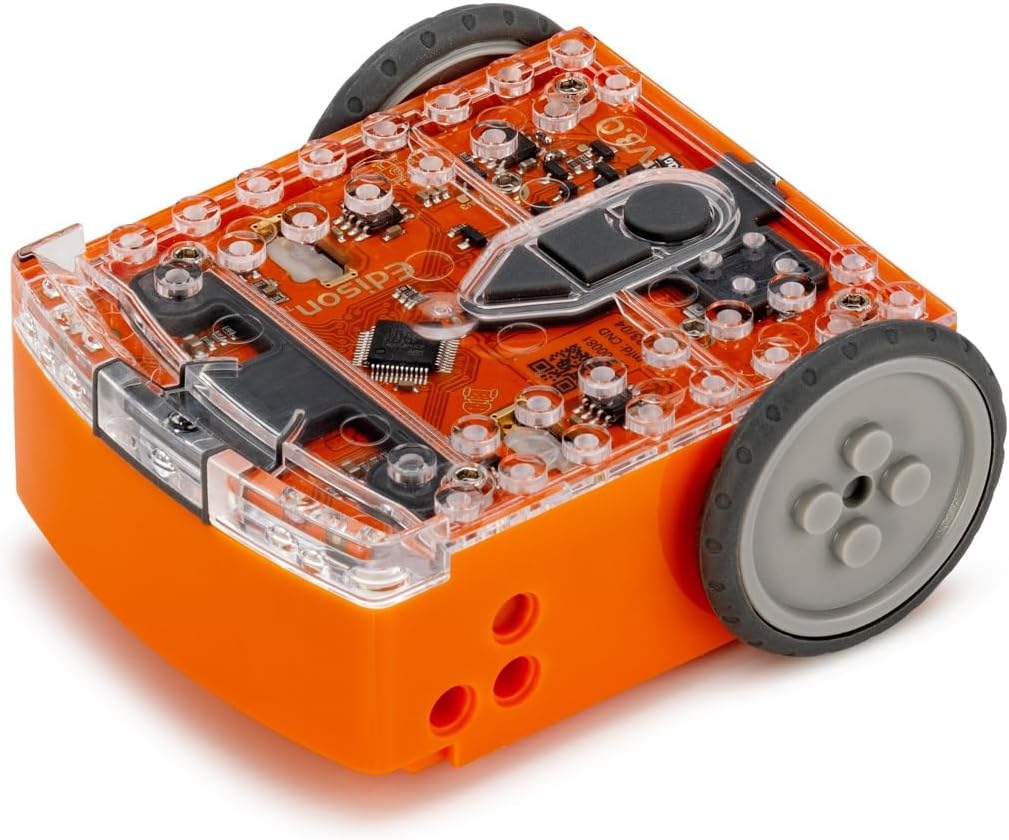
Ages: 6–12 | Approx. Price: £30–£40 | ASIN: B0CR6VKY7B
If you're looking for the best coding robot per pound spent, look no further than the Edison V3. At around £30–£40, it's the most affordable STEM robot on this list — and yet it punches well above its weight class.
Edison robots are LEGO-compatible (they fit standard LEGO bricks), rechargeable via USB-C, and programmable through three levels of increasing complexity: EdScratch (beginner blocks), EdPy (Python), and direct barcode scanning. The barcode scanning is particularly clever for young children — they scan pre-printed barcodes from worksheets to programme different behaviours, no screen required.
Edison V3 also supports two-robot interactions (they can detect and respond to each other), which makes it ideal for school settings.
What's in the box: Edison V3 robot, EdComm cable, barcode booklets, and USB-C cable.
What We Like
- Outstanding value at under £40
- LEGO compatible — infinite build possibilities
- Three coding levels grow with the child (barcodes → EdScratch → Python)
- USB-C rechargeable (no batteries needed)
- Strong UK school adoption
What Could Be Better
- Smaller and less visually exciting than some competitors
- Advanced features require a computer with software installed
- Less tactile feedback for very young children
> 👉 Interested? Check the latest price for Edison V3 on Amazon UK
4. Snap Circuits JR. Plus SC-110 — Best for Hands-On Electronics
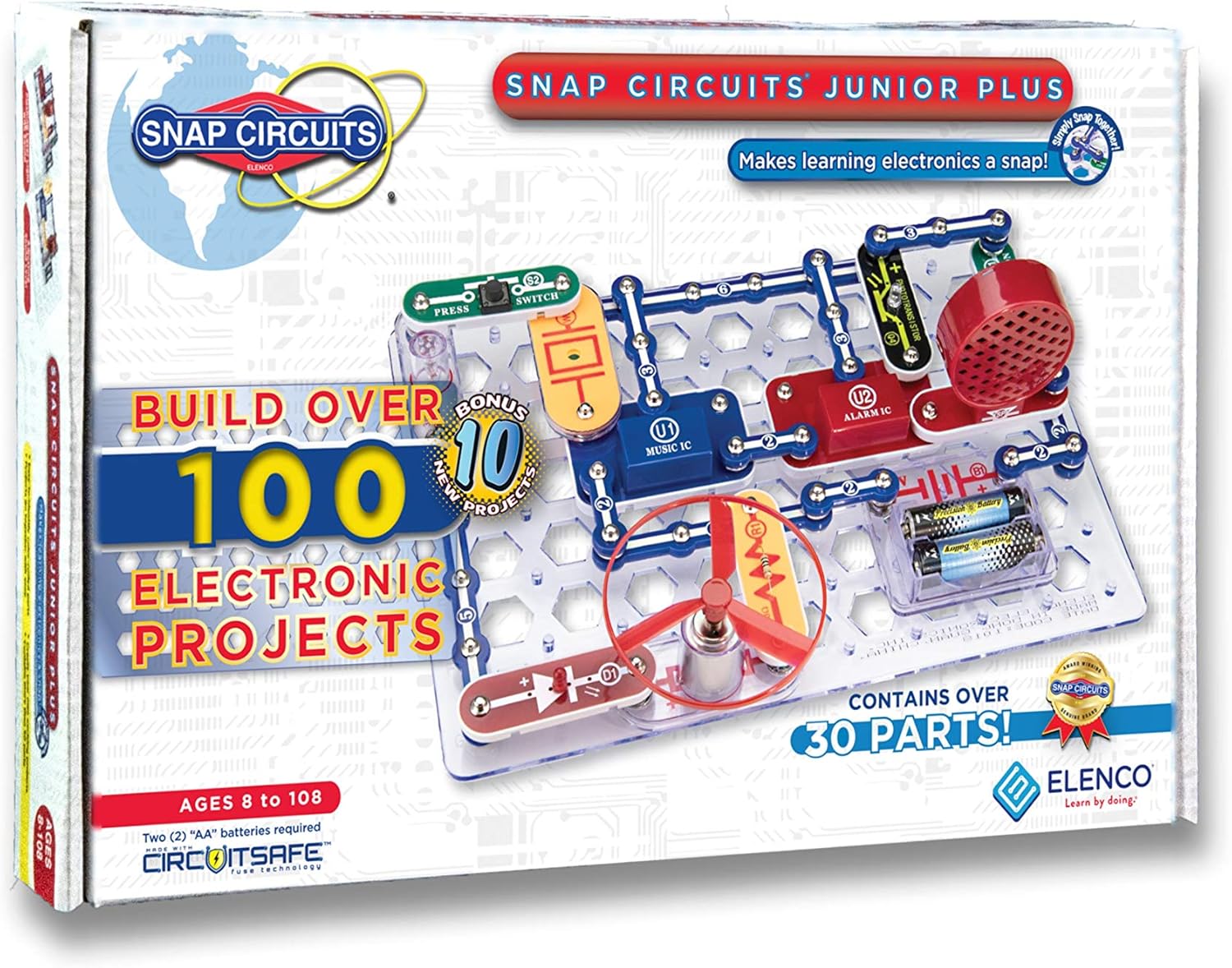
Ages: 6–12 | Approx. Price: £25–£35 | ASIN: B07ZHKHYPS
Snap Circuits is slightly different from the robot toys in this list — rather than programming a robot, children build actual working circuits from snap-together components. But the underlying skills are the same: logical thinking, sequential problem solving, and understanding how systems work.
The JR. Plus SC-110 includes over 110 projects — from a basic light circuit to a working FM radio — all using the same colour-coded snap pieces. Each component snaps securely together on a grid board, and the full-colour project guide walks children through each build step by step.
This is a fantastic option for children who are more interested in how things work than in programming robots, or for younger children who aren't quite ready for a programmable robot but want hands-on STEM play.
What's in the box: 30+ Snap Circuit pieces, full-colour project manual with 110 guided projects.
What We Like
- Cheapest option on this list at under £35
- No batteries needed for many projects (some use included battery holder)
- Project difficulty ramps up gradually
- Zero screen time required
- Award-winning educational product (multiple Parent's Choice Awards)
What Could Be Better
- Not a programmable robot — different type of STEM learning
- Some projects require adult supervision (fan motor, etc.)
- The grid board gets lost easily by younger children
Currently available on Snap Circuits JR. Plus — Amazon UK. Prices may vary.
5. Sphero Mini — Best App-Controlled Robot for STEM Play
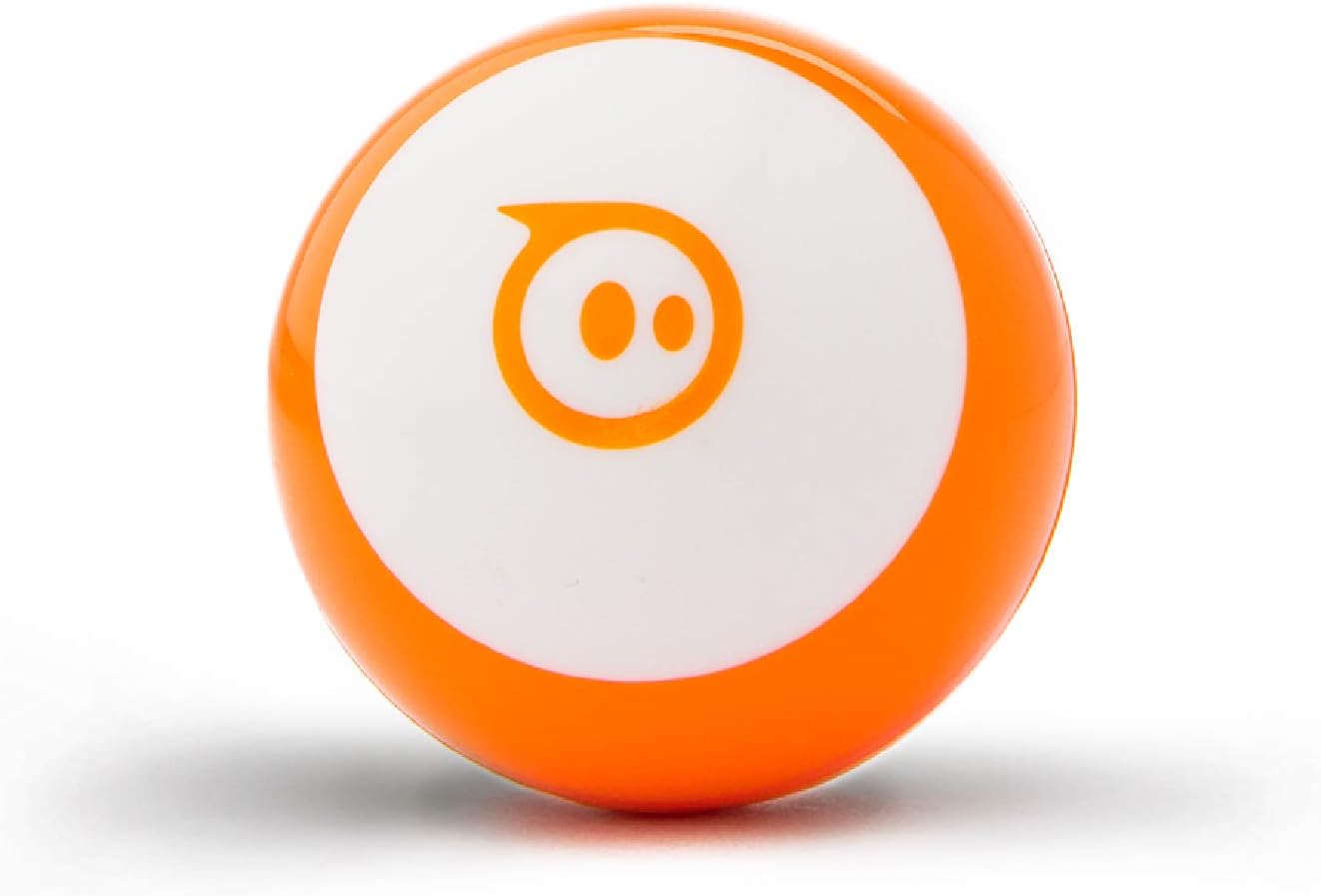
Ages: 8–13 | Approx. Price: £45–£60 | ASIN: B072KYC19V
Sphero Mini is a palm-sized robotic ball that children can control via the free Sphero Edu app — and, crucially, programme using JavaScript-based block coding. It's the most child-friendly entry point into the Sphero ecosystem (the full Sphero BOLT sits comfortably above £100).
Despite its small size (it's about the size of a ping pong ball), Sphero Mini packs in an accelerometer, a gyroscope, and Bluetooth connectivity. Children can programme it to navigate obstacle courses, respond to tilts, or just zip around the floor.
The Sphero Edu app is excellent — genuinely well-designed with hundreds of community activities and age-appropriate coding challenges. It's used in schools across the US and UK.
What's in the box: Sphero Mini robot, USB charging cradle, 3 traffic cones, 2 goal posts, and 2 ramps.
What We Like
- Block coding (Scratch-like) → JavaScript progression path
- The Sphero Edu app is polished and curriculum-aligned
- Durable — the ball casing survives drops and collisions
- Great for physical computing and game design
- Active educator community with free lesson plans
What Could Be Better
- Requires Bluetooth and a device to use
- Less tactile than robot-shaped toys for younger children
- Battery life is ~60 minutes per charge
> 👉 Interested? Check the latest price for Sphero Mini on Amazon UK
If your budget stretches a little further, the Sphero BOLT review covers the upgraded model with a full LED matrix and more advanced sensors.
6. BBC micro:bit V2 — Best for Serious Young Coders
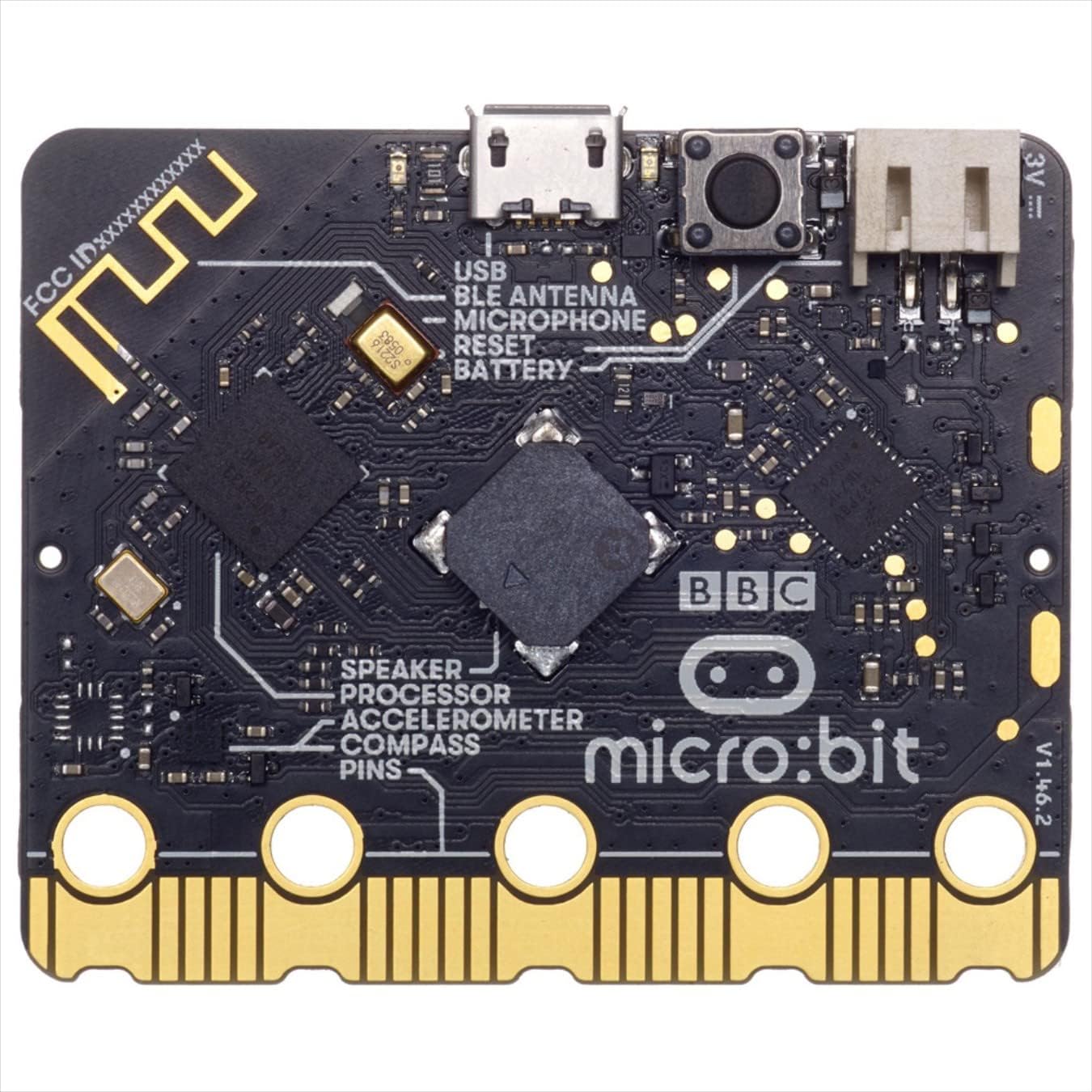
Ages: 10–14 | Approx. Price: £15–£20 | ASIN: B08NGKK3XW
The BBC micro:bit is the cheapest item on this list — but arguably the most powerful for older, motivated children. At £15–£20, it's a fully programmable microcontroller with a 5x5 LED matrix, two buttons, Bluetooth, a built-in microphone, and a speaker. It programmes via MakeCode (block-based), MicroPython, or JavaScript.
The micro:bit was designed by the BBC specifically for UK schoolchildren and has been distributed to every Year 7 pupil in England. It's the foundation of the KS3 computing curriculum and a stepping stone to A-Level Computer Science.
Unlike the robot kits above, the micro:bit is an open platform — children build their own projects from scratch, rather than following a guided activity set. That open-endedness is exactly what older, curious children need.
What's in the box: micro:bit V2 board, micro USB cable, quick start guide, and battery pack (batteries not included).
What We Like
- Extraordinary value at ~£15–£20
- Official UK curriculum tool (used in KS3 computing)
- MakeCode editor is free, browser-based, and excellent
- Bluetooth for wireless projects
- Massive project community and free educational resources
What Could Be Better
- Not a robot — requires project ideas or structured curriculum
- Less beginner-friendly for under-10s
- Needs a computer and some guided learning to get the most from it
- Batteries not included (common UK issue)
Currently available on BBC micro:bit V2 — Amazon UK. Prices may vary.
Which Coding Robot Should You Buy?
The right choice depends almost entirely on your child's age and your priorities:
For screen-free coding at ages 5–8: Botley 2.0 is the clear choice. It's physical, tactile, and requires no tablet or smartphone.
For the best value at any age: Edison V3 at £30–£40 is remarkable. It's LEGO compatible, Python-capable, and used in schools. Hard to beat.
For Scratch and Arduino from age 8: Makeblock mBot. It'll grow with your child from blocks to real code over several years.
For circuit-building curiosity at ages 6–10: Snap Circuits JR. Plus. It's not a robot, but it teaches electronics principles in a brilliantly hands-on way.
For app-based STEM play from age 8: Sphero Mini. The app is genuinely excellent, and the progression from blocks to JavaScript is well structured.
For serious coding from age 10: BBC micro:bit V2. It's the tool UK schools actually use, and at £15 it's practically risk-free.
Buying Tips: Coding Robots Under £100
Check the App Requirements
Most app-based robots (Sphero Mini, Makeblock mBot) require a smartphone or tablet. Make sure you have a compatible device before buying.
Look for Upgrade Paths
The best coding robots — like the mBot and Sphero — have upgrade paths. Starting cheap and growing into a more advanced product is better than buying one toy that gets outgrown.
Screen-Free vs Screen-Based
If your child already has lots of screen time, a screen-free option like Botley 2.0 or Edison V3 (barcode mode) is genuinely refreshing. We've written a full breakdown in our screen-free vs screen-based coding toys feature.
Consider the Age Range Carefully
Manufacturers often overestimate how young a child can use their product independently. Our age recommendations above are based on realistic independent use — if you're happy to sit alongside your child, you can often go a year or two younger.
FAQ: Coding Robots Under £100 UK
What is the best coding robot for a 5-year-old UK?
For a 5-year-old, Botley 2.0 is the standout pick. It's completely screen-free, uses simple button sequences, and the bright maze pieces make it genuinely fun. It's designed specifically for early STEM learners and doesn't require any app or device.
Can a coding robot teach kids real programming?
Yes — especially at the upper end of this list. The BBC micro:bit teaches MicroPython and JavaScript. The Makeblock mBot teaches Scratch and Arduino C++. Even Botley 2.0 teaches sequential thinking and loops, which are genuine programming concepts. The difference is the interface, not the underlying logic.
Are cheap coding robots worth buying?
Absolutely. The Edison V3 at ~£35 is used in schools across the UK and Australia — it's cheap because it's sold in volume to education departments, not because it's low quality. Don't equate price with educational value.
What age is best to start coding with robots?
Most children can start engaging with screen-free coding robots from age 4–5 (with parental support). Independent coding on a device-based platform tends to click around age 7–8. Advanced text-based coding (Python, JavaScript) is typically accessible from age 10–11, though keen children can start earlier.
Do I need to buy accessories for these robots?
All of the products above are complete out of the box (except the micro:bit, which needs batteries). The Edison V3 is USB-C rechargeable, so no ongoing battery costs. Botley 2.0 and Snap Circuits require AA batteries. Sphero Mini charges via USB.
Also Consider: Beyond £100
If your budget stretches a little further, there are some brilliant options. The Sphero BOLT at around £120–£130 adds a full programmable LED matrix and much more advanced sensors. For older kids, the BBC micro:bit V2 review covers the full details of what the platform can do.
For age-specific buying advice, our best AI toys for 6–8 year olds UK and best AI toys for 9–12 year olds UK guides go into much more depth on matching the right product to your child's stage.
Last updated: February 2026. Prices are approximate and based on Amazon UK at time of writing. Actual prices may vary.
You Might Also Like
Best Coding Robots Under £50 UK 2026 — 5 Top Picks for Every Age
The best coding robots under £50 in the UK — expert picks for ages 4-14. Affordable STEM toys that actually teach real coding skills. Real reviews, honest…
Best Screen-Free Coding Toys UK 2026 — 6 Top Picks for Device-Free Learning
The best screen-free coding toys for kids in the UK — no tablet, no smartphone required. Expert picks for every age from 5 to 14, with honest pros and cons.
Best STEM Kits Under £100 UK 2026 — 7 Top Picks for Every Age
Looking for the best STEM kits under £100 in the UK? Our 2026 guide covers 7 top-rated coding robots and electronics kits for ages 5–14. Real picks, real…