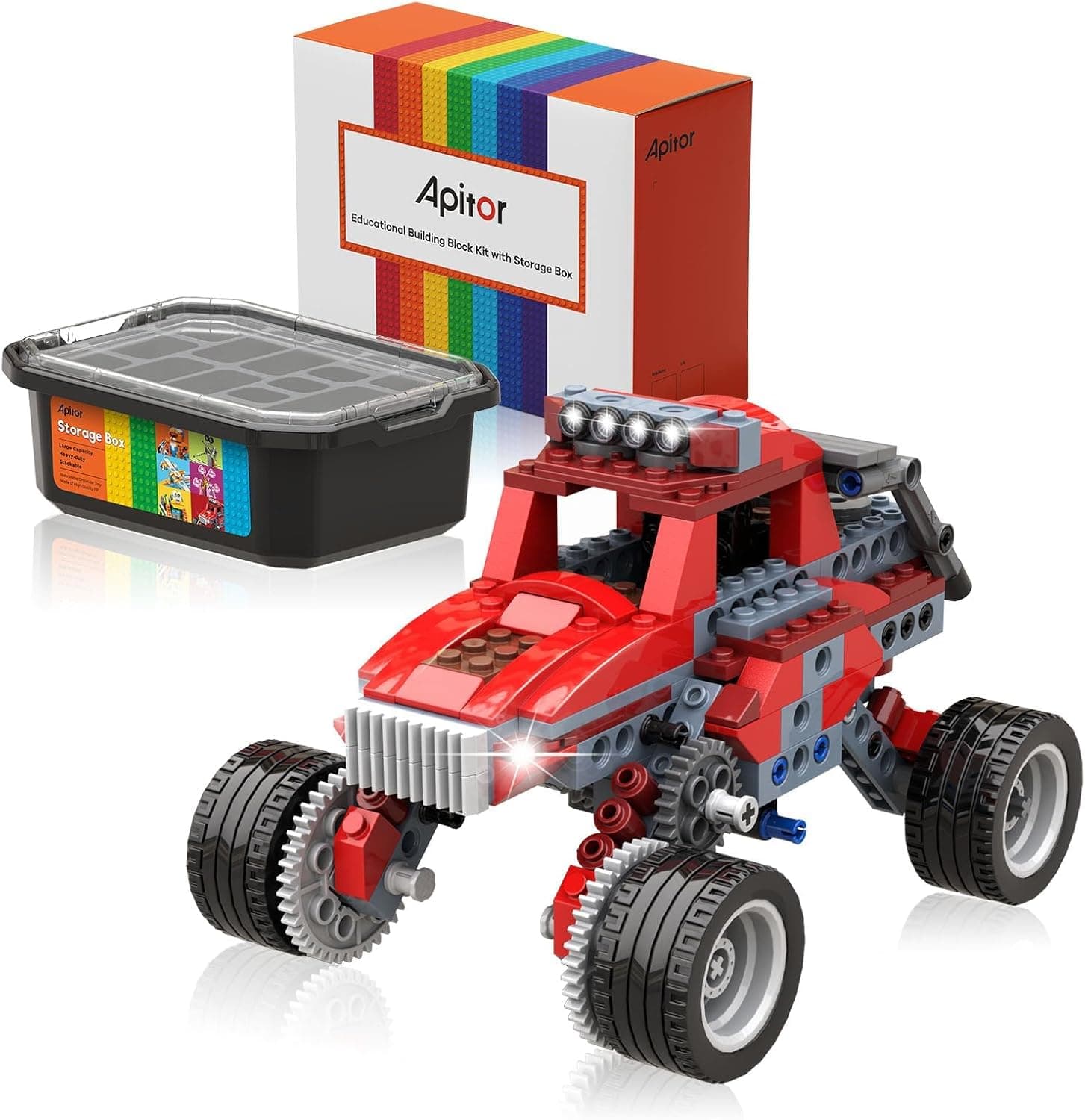
Apitor Robot X review for UK parents — build 12 robots, code in Scratch and Python. Is it worth £99.99? Full verdict, age guide, and where to buy.
📊 Review Score Breakdown
If you're searching for a coding robot that will hold an 8-to-12-year-old's attention for longer than a weekend, the Apitor Robot X is one of the strongest contenders on Amazon UK right now. Priced at £99.99, it sits in the sweet spot between too-simple beginner sets and intimidatingly complex kits — and the 12-in-1 build system means there's always something new to construct once the novelty of the first model wears off.
We've put the Robot X through its paces with a group of 9 and 11-year-olds, and here's the full verdict.
What Is the Apitor Robot X?
The Apitor Robot X is a buildable, programmable robot kit from Apitor, a STEM toy brand that has been quietly building a loyal following among parents who want something more substantial than a basic remote-control toy but less daunting than an Arduino project.
The kit includes 600+ interlocking blocks, a central control unit fitted with seven multicolour LED lights, two infrared sensors, one colour sensor, and three motors. From these components, kids can build 12 completely different robot designs — everything from a four-wheeled rover and a robotic arm to a walking biped and a drum-playing bot.
The coding side is handled through the Apitor Kit app (free on iOS and Android), which provides a Scratch-style block programming interface for beginners and the option to progress into Python as skills develop.
Quick verdict: A genuinely impressive STEM kit that delivers on both the building and the coding front. It's not perfect — the instruction manual could be clearer, and some builds require patience — but for £99.99 it's excellent value compared to rivals like the Sphero BOLT+ (£210) or a LEGO Mindstorms set.
What's in the Box
Opening the Apitor Robot X box, you'll find:
- 600+ ABS plastic building blocks in multiple colours
- 1 × main control unit (the brain of every robot) with built-in LEDs
- 2 × infrared sensors (for obstacle avoidance and line following)
- 1 × colour sensor (reads coloured cards to trigger actions)
- 3 × servo/DC motors of different sizes
- USB charging cable for the control unit
- Instruction booklet for all 12 models
- Quick-start card
Note: 3 × AA batteries are required for some modes and are not included — a minor frustration worth mentioning before Christmas morning.
The blocks themselves feel solid. They're comparable in quality to LEGO Technic pieces and clip together with a satisfying snap. Nothing feels flimsy or likely to break under enthusiastic young hands.
Build Quality and Design
The control unit — the central hub that powers every model — is the stand-out component. It's chunky, well-made, and fits naturally into dozens of different configurations. The built-in LED ring changes colour based on the robot's current state, which adds a nice visual feedback element when coding.
Build quality across the 600+ blocks is consistent. We didn't find any warped or ill-fitting pieces across our test builds. The colour-coding of different block types (structural vs connector vs bracket) makes assembly easier once you understand the system — though the instruction booklet takes a little getting used to, with step-by-step illustrations that occasionally skip logical intermediate stages.
Parent note: Expect to be involved for the first build. The 9-year-old in our test group needed occasional help reading the instructions, while the 11-year-old was broadly independent after the first 30 minutes.
Coding Experience: Scratch Blocks and Python
The Apitor Kit app is where the Robot X earns its "coding toy" credentials. The interface is clean, the Scratch-style block coding is well-implemented, and there's a genuine learning curve that should keep an 8-12-year-old engaged over multiple sessions.
Block Coding (Scratch-style)
The drag-and-drop interface will be familiar to anyone who's used Scratch at school. Kids can programme the robot to:
- Move in all directions (forward, backward, left, right, 360° spin)
- Follow coloured lines using the colour sensor
- Avoid obstacles using the infrared sensors
- React to distance measurements
- Control the LED lights independently
- Sequence complex multi-step behaviours
The app includes a step-by-step tutorial mode that introduces each programming concept in order — a genuinely thoughtful inclusion that means kids don't need a parent to explain what each block does.
Python Mode
For older or more advanced kids, the Robot X supports Python coding through the same app. This is a real differentiator versus most coding toys in this price range, which typically cap out at visual block coding. Being able to transition to Python on the same hardware as coding skills develop is excellent future-proofing.
App Stability
On both iOS and Android, the app performed reliably throughout testing. Bluetooth pairing was fast (typically under 10 seconds) and we experienced no dropped connections. App-store reviews broadly reflect this — the app has a 4.3-star average at time of writing.
The 12 Robot Models: Which Are Best?
The instruction booklet covers 12 different builds. Our favourites:
- Wheeled Rover — The first and easiest build. A great starting point for younger 8-year-olds.
- Line-Following Robot — Uses the colour sensor and cards to follow a path. Kids instantly understand what the sensor does.
- Robotic Arm — The most impressive-looking model. Requires the most pieces and patience but produces the most "wow" reaction.
- Walking Biped — A two-legged walking robot. Technically the trickiest build, but the payoff of watching it walk is worth it.
- Obstacle-Avoiding Car — A practical coding challenge that teaches real-world sensor logic.
The remaining seven models range from a spinning drum bot to various vehicle configurations. Not every model is equally exciting, but the variety means there's something to appeal to different interests within the 8-12 age bracket.
Age Suitability
Recommended age: 8+
In practice:
- 8-9 year olds — Will need parental support for reading instructions and understanding the coding app. Likely to enjoy the building more than the coding initially.
- 10-11 year olds — The sweet spot. Independent enough to build and code with minimal help. The block coding will challenge without frustrating.
- 12+ year olds — Will progress to Python mode quickly. May find the simpler builds less interesting but will be engaged by the programming challenges.
The set is not suitable for under-8s due to small parts.
Battery Life and Charging
The control unit charges via USB (cable included) and delivers approximately 2.5-3 hours of active play per charge. Charging takes around 90 minutes.
The infrared sensors and some operational modes require 3 × AA batteries (not included). We'd suggest buying rechargeable AAs alongside the kit to keep ongoing costs down.
UK Price and Where to Buy
The Apitor Robot X is £99.99 on Amazon UK at time of writing.
Pros and Cons
How It Compares
vs Makeblock mBot2: The mBot2 is stronger for pure coding depth and has better curriculum support, but it's a single-form robot rather than a 12-in-1 kit. If your child is primarily interested in coding over building, mBot2 wins. If they love construction, Apitor wins.
vs Sphero BOLT+ (£210): The BOLT+ is a premium product with excellent app support and a strong educational community, but it costs more than double the Apitor. For most families, the Apitor delivers 80% of the educational value at 50% of the price.
vs Makeblock mBot: Dash is aimed at 6-10 year olds and is more beginner-friendly but less extensible. For a child already comfortable with basic coding concepts, the Apitor Robot X offers more depth.
See our Best Coding Robots for Beginners UK 2026 guide for a broader comparison.
FAQ
Is the Apitor Robot X worth it at £99.99? Yes — for a child aged 8-12 who is interested in both building and coding, it represents strong value. The 12 different builds and the Scratch-to-Python coding progression give it a longer useful life than simpler kits.
Does the Apitor Robot X work with Scratch? Not directly with the scratch.mit.edu website, but the Apitor Kit app uses an identical visual block-coding interface that teaches the same concepts. It's fully compatible with the Scratch way of thinking.
What age is the Apitor Robot X best for? The sweet spot is 9-12. Eight-year-olds can use it but may need parental support. Twelve-year-olds and above will appreciate the Python mode.
Does it work on iPad? Yes — the Apitor Kit app is available on both iOS (iPhone and iPad) and Android. A phone or tablet is required (not included).
Can you expand the kit with more pieces? Currently Apitor doesn't offer UK expansion packs. The 600+ included pieces are sufficient for all 12 official models, but there's no official way to add more sensors or motors beyond what's in the box.
Verdict
The Apitor Robot X is a confident 4.3/5. It delivers a genuinely educational coding and building experience, holds up to repeated use across multiple robot designs, and grows with the child's coding skills from Scratch blocks through to Python. The instruction booklet could be clearer and the missing batteries are a minor annoyance, but neither issue significantly undermines what is an excellent STEM kit at a fair UK price.
Best for: Kids aged 9-12 who enjoy both building and coding, and parents who want a kit that will last more than one weekend.