UK Schools Are Teaching Coding from Age 5 — Here's How Parents Can Help at Home
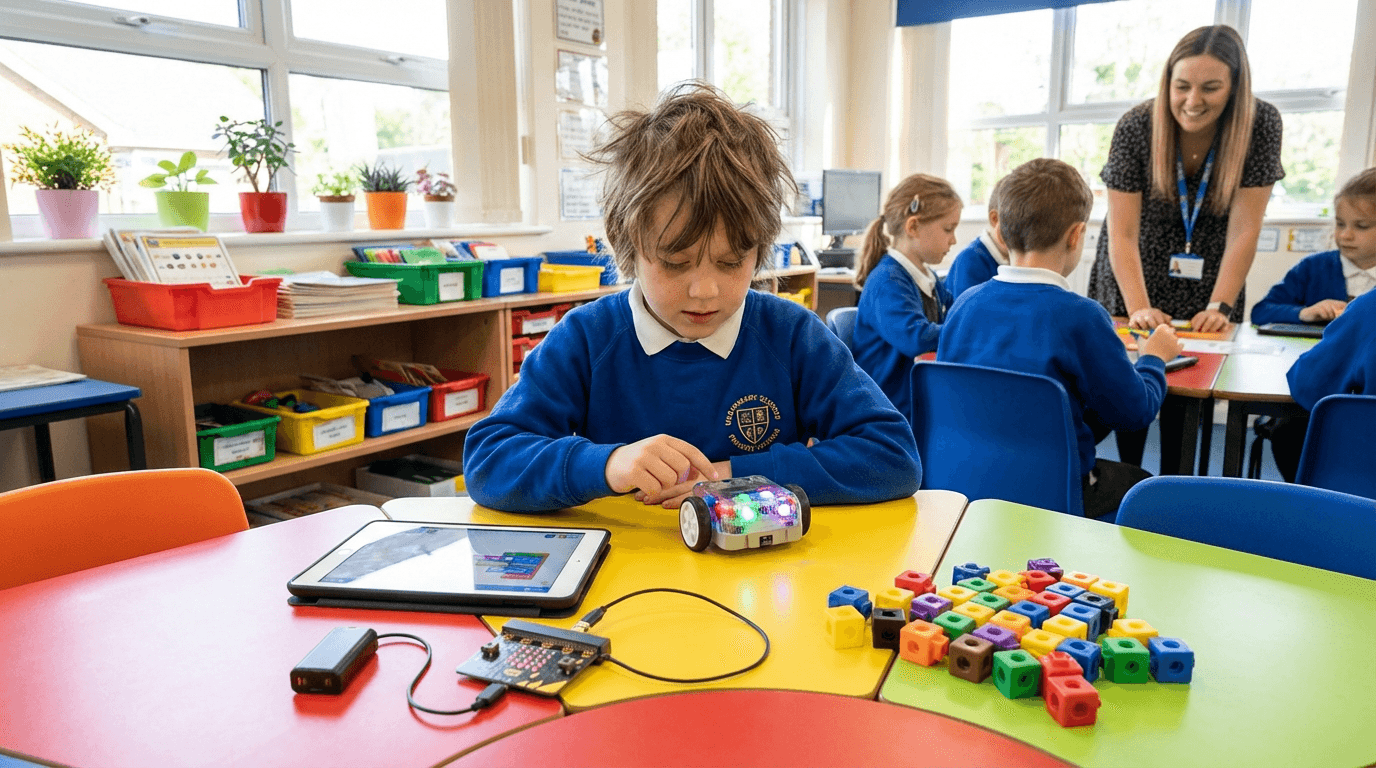
Disclosure: AIToys.co.uk is reader-supported. We may earn a small commission if you buy via our links, at no extra cost to you.
Your five-year-old is learning to code at school. Not "playing on tablets" — actually learning the logical foundations of programming. Since 2014, computing has been a statutory subject in the National Curriculum for England, meaning every child from Year 1 (age 5) upwards is expected to develop computational thinking skills. Scotland, Wales, and Northern Ireland have followed with their own digital competency frameworks.
This is a profound shift. The generation entering primary school right now will spend their entire careers in a world shaped by artificial intelligence, automation, and software. The good news? The groundwork starts young — and parents can do a huge amount to reinforce what's taught in school, using affordable toys and tools available right now.
This guide explains exactly what the UK curriculum requires, which skills matter most at each age, and which products genuinely help children build coding confidence at home.
What Does the UK Computing Curriculum Actually Require?
The National Curriculum for Computing sets out clear expectations across four key stages:
Key Stage 1 (Ages 5–7, Years 1–2)
Children at this stage are expected to:
- Understand what algorithms are and how they relate to everyday activities
- Create and debug simple programs
- Use logical reasoning to predict the behaviour of basic programs
- Understand what computers and the internet are used for
At this age, there's no typing required. Coding is physical and visual — moving arrows, stacking blocks, programming robots to navigate mazes. The emphasis is on sequence, selection, and repetition through play.
Key Stage 2 (Ages 7–11, Years 3–6)
The jump in expectations here is significant:
- Design, write, and debug programs that accomplish specific goals
- Use sequence, selection, and repetition in programs
- Work with variables and various forms of input and output
- Use logical reasoning to explain simple algorithms
- Understand computer networks, including the internet
- Use technology purposefully to create, organise, store, and retrieve content
By Year 6, many children are writing Python code. Schools commonly use Scratch, BBC micro:bit, and Python as their primary teaching tools.
Key Stage 3 (Ages 11–14, Years 7–9)
Secondary school takes things further:
- Understand computational abstractions that model aspects of the real world
- Design and develop modular programs using procedures and functions
- Understand at least two programming languages
- Understand the hardware/software layers and how they interact
- Develop understanding of data structures, algorithms, and binary
Why the Gap Between School and Home Matters
Here's the challenge: most primary schools have one computing lesson per week, often 45–60 minutes. That's roughly 36 hours per year — less time than most adults spend watching Netflix in a month. Studies from the Raspberry Pi Foundation show that children who engage with coding at home develop computational thinking skills significantly faster than those who only code at school.
The children pulling ahead aren't necessarily more talented — they're the ones with more practice time. And the best practice doesn't feel like practice. It feels like play.
This is exactly what the best coding toys deliver: genuine computational thinking disguised as entertainment. When a child programmes their BBC micro:bit to flash an LED pattern, they're practising the same loops and conditionals their teacher covers in class — they just don't realise it.
Age-by-Age Guide: What to Focus On at Home
Ages 4–6: Unplugged First, Then Robots
Before screen-based coding makes sense, children this age benefit most from physical sequencing games. The concept that matters here is algorithm as recipe — that a computer (or a robot, or a person) follows instructions in exact order, and that order matters.
Great starting points:
- Learning Resources Coding Critters — plush animals that children programme by pressing buttons in sequence, with zero screen involvement
- Cubetto (Primo Toys) — wooden robot programmed by placing physical command blocks; beautifully tactile for this age
The best screen-free coding toys have a section on sub-£50 options that work beautifully at this age.
What they're learning: Sequencing, debugging ("why didn't the robot go the right way?"), directionality, cause-and-effect
Ages 5–8: App-Connected Robots
Once children can read simple instructions and use a touchscreen confidently, app-connected coding robots open up enormously. This aligns with Key Stage 1 curriculum work and bridges into early KS2.
Top picks at this age:
- Botley 2.0 — codes via remote controller, no app or screen required, excellent for beginners
- Sphero INDI — colour-coded cards programme the robot's behaviour, superb for early learners
- Wonder Workshop Dash — versatile robot with three different coding interfaces that grow with the child
- LEGO Education WeDo 2.0 — familiar LEGO bricks with Scratch-based programming
What they're learning: Loops, conditionals, basic functions, debugging strategies
UK curriculum alignment: Direct match with KS1 requirements — programming, debugging, logical reasoning
Ages 7–11: Text-Based Coding Begins
The Key Stage 2 jump is where children start looking like "real" coders. They move from visual block coding to text, and the products that support this transition are critically important.
The BBC micro:bit V2 deserves special mention here. Many UK primary schools use it directly in class, so owning one at home means children can extend school projects, experiment freely, and arrive at lessons already familiar with the hardware. At around £15, it's remarkable value.
Other strong options for this age group:
- Makeblock mBot2 — programmes in Scratch and Python, excellent build quality, grows with the child
- Kano Computer Kit (Harry Potter variant) — builds a working computer, uses Kano Code (Scratch-compatible)
- Snap Circuits JR. — electronics rather than coding, but brilliant for understanding inputs/outputs and circuits that underpin everything
What they're learning: Variables, functions, loops with conditions, debugging systematic approaches, hardware/software interaction
UK curriculum alignment: Direct match with KS2 requirements through upper primary
Ages 11–14: Real Programming Languages
Secondary school computing changes gear significantly. Text-based Python becomes standard, and students start tackling more abstract concepts. Products that work at this level tend to be more expensive but dramatically more powerful.
The Arduino Starter Kit is the gold standard here. It's genuinely used in professional prototyping; learning it at 12–13 gives teenagers a real skill, not just a game. Our detailed review covers exactly what you get and whether it's worth the £60+ price tag.
Other strong options for teens:
- Sphero BOLT — codes in Scratch and JavaScript, powerful enough for secondary school projects
- Raspberry Pi 5 — full Linux computer for under £60; endlessly expandable
- PYXEL Coding Robot Pet — newer entry-level robot with strong app ecosystem
The 4 Coding Skills That Matter Most
Not all coding toys develop the same skills. Here's a framework for thinking about what matters, and which toys build each:
1. Algorithmic Thinking
Breaking a problem into steps. "What instructions does the robot need to reach the goal?"
Best for this: Cubetto (ages 4–6), Botley 2.0 (ages 6–9), Sphero BOLT (ages 8+)
2. Debugging
Finding and fixing errors. This is arguably the most important skill — professional developers spend more time debugging than writing new code.
Best for this: Any app-connected robot where children run programmes and see what goes wrong. BBC micro:bit is excellent because the feedback loop is immediate.
3. Decomposition
Splitting complex problems into smaller, manageable parts. Essential for the KS2 and beyond curriculum.
Best for this: LEGO BOOST, Makeblock mBot2, Arduino (older children)
4. Pattern Recognition
Identifying similarities across problems to reuse solutions. The foundation of functions and abstraction.
Best for this: Scratch on any platform; Kano Code; Python beginners' projects
What the Research Says About Early Coding Education
Several large studies have examined the effects of early coding education on child development:
Computational thinking transfers: A 2021 Raspberry Pi Foundation study found that children who engaged with physical computing (robots, micro:bit) showed improved performance in mathematics and logical reasoning tasks beyond computing itself.
Play-based learning is more effective than drills: Children who learned to code through play-based activities retained skills significantly better than those taught through formal instruction alone. This is why robots and physical computing tools outperform coding apps for foundational learning.
The gender gap is narrowing — but timing matters: Research from the Behavioural Insights Team found that early exposure to coding toys (before age 8) effectively eliminates gender differences in coding confidence. Waiting until secondary school sees the confidence gap widen again. For parents of daughters especially, early investment in coding toys pays disproportionate dividends.
Parental engagement amplifies outcomes: Children whose parents engage with their coding toys — even briefly, even without technical knowledge — show stronger learning outcomes. You don't need to be a programmer. You just need to be curious alongside them.
How to Actually Make It Work at Home
Knowing which toys to buy is one thing. Getting a reluctant or distracted child to engage regularly is another.
Start with their interests
A child obsessed with dogs will engage more with Loona or Coding Critters than with abstract block programming. A child who loves building will connect faster with LEGO BOOST or Kano than with a standalone robot. Match the product to the child, not the age bracket on the box.
Keep sessions short and achievable
Twenty minutes of engaged coding is worth more than two hours of frustrated button-mashing. Set a simple goal at the start: "Let's make the robot do one loop around the table." Achieve it. Stop. The brain consolidates skills during rest.
Celebrate debugging, not just success
When something doesn't work, say "Brilliant — now we get to figure out why." The debugging mindset — curiosity about failure rather than frustration — is the single most important attitude in computing. Build it from the start.
Connect to school projects
Ask your child what they're doing in computing at school. If they mention Scratch, buy a book on Scratch. If they're using micro:bit, get one for home. Direct connection between home and school is the most powerful learning multiplier.
Use the BBC resources
The BBC has invested heavily in computing education. BBC Learning has free coding resources from KS1 through KS3, specifically aligned to the National Curriculum. It's genuinely good, and it's free.
Budget Guide: Best Options at Every Price Point
| Budget | Best Pick | Age | Why |
|---|---|---|---|
| Under £20 | BBC micro:bit V2 | 8–14 | Used in UK schools directly; incredible value |
| Under £30 | Learning Resources Coding Critters | 4–7 | Screen-free; perfect for KS1 ages |
| Under £50 | Botley 2.0 | 5–9 | App-free; brilliant for beginners |
| Under £80 | Wonder Workshop Dash | 6–11 | Grows with the child; 3 coding interfaces |
| Under £100 | Makeblock mBot2 | 8–14 | Build it yourself; Scratch + Python |
| Under £150 | Sphero BOLT | 8–14 | Codes in JavaScript; transparent internals |
| Under £200 | Arduino Starter Kit | 12–16 | Real prototyping tools; genuine career skill |
For a more detailed breakdown by budget, see our Best Coding Robots Under £100 guide.
What Schools Use vs What's Available to Buy
One question parents frequently ask: "Should I buy the same thing the school uses, or something different?"
The case for matching school tools:
- Direct reinforcement of what teachers are covering
- Children arrive at school lessons with prior experience — builds confidence
- School projects can extend into home time
- BBC micro:bit is the clearest example: £15 at home, used directly in KS2/3
The case for complementing school tools:
- Variety broadens computational thinking exposure
- Different tools have different strengths (Scratch ≠ micro:bit ≠ robot)
- School may use dated tools; newer options may be more engaging
Our recommendation: Buy the micro:bit for Year 5–6+ regardless of anything else. It's so cheap and so directly aligned with UK secondary curriculum that it's a no-brainer. For younger children, complement school tools rather than duplicate them.
Frequently Asked Questions
At what age should I start teaching my child to code in the UK?
The National Curriculum begins computing at age 5 (Year 1), but pre-coding skills — sequencing, cause-and-effect, logical thinking — can begin much earlier. Screen-free coding toys like Cubetto or Coding Critters work well from age 3–4. App-connected robots become appropriate from around age 5–6.
Does the BBC micro:bit work with UK primary school curriculum?
Yes — the BBC micro:bit was specifically designed for UK education and is used directly in KS2 and KS3 classrooms across England, Scotland, Wales, and Northern Ireland. It's the most "curriculum-aligned" coding tool a parent can buy.
Is learning to code important if my child isn't going to be a programmer?
Absolutely. Computational thinking — breaking problems into steps, identifying patterns, debugging — is useful in medicine, law, finance, science, and virtually every knowledge-based career. The UK government's digital strategy consistently identifies coding literacy as a core 21st-century skill, regardless of profession.
What's the difference between Scratch and Python for kids?
Scratch is a visual, block-based language designed for children from around age 7. Python is a text-based language used professionally. Most UK children start with Scratch in primary school (Years 3–6) and transition to Python in secondary (Year 7+). Scratch is excellent for learning concepts; Python is the skill that becomes career-relevant. Products like mBot2 support both, making them good long-term investments.
Are coding toys a good investment compared to coding apps?
For most children, yes. Physical toys have tangible, immediate feedback — the robot does or doesn't do what you programmed. This immediate physical cause-and-effect is more engaging and memorable than a screen response for children under 10. Coding apps (like Scratch, Swift Playgrounds, or Tynker) are excellent supplements, particularly from age 8 upward, but physical toys tend to hook children who might otherwise resist "learning".
The Bottom Line
The UK computing curriculum is genuinely ambitious. A child who engages seriously with it from Year 1 through Year 9 will cover ground that university computer science students tackled 20 years ago. The curriculum is designed for the world these children will graduate into — one where AI literacy is as fundamental as reading.
Parents who reinforce school coding with quality tools at home give their children a compounding advantage. Not because coding is a magic career skill, but because computational thinking — systematic problem-solving, logical reasoning, debugging — is useful in every field.
The best AI toys for kids aged 9–12 we've reviewed are designed precisely to develop these skills while remaining genuinely fun to use. Start early, stay curious alongside your child, and don't worry about being a programmer yourself. The toys do the teaching — you just need to create the space for play.