Best Coding Robots for Kids UK 2026: Inspiring Young Programmers
Discover the best coding robots for kids in the UK for 2026. Engage young minds with fun, educational tech toys that teach vital programming skills.
Affiliate Disclosure: This article contains affiliate links for products we've researched and genuinely recommend. We may earn a small commission at no extra cost to you when you make a purchase through these links.
Quick Verdict
Inspiring the next generation of coders, robot toys offer a playful yet powerful gateway into STEM education. Our top pick for 2026 is the Sphero BOLT (available on Amazon UK), for its unparalleled versatility, robust app, and engaging light matrix that makes learning genuinely fun for a wide age range.
Unlocking the Future: Why Coding Robots Matter for Kids
In today's increasingly digital world, coding isn't just a niche skill – it's a fundamental literacy. Learning to code empowers children with problem-solving abilities, logical thinking, and creativity, setting them up for success in virtually any future career path. Coding robots are a brilliant way to introduce these complex concepts in an accessible, hands-on, and incredibly fun manner, transforming abstract ideas into tangible actions.
From screen-free options for preschoolers to advanced kits for budding roboticists, the UK market offers a fantastic range of coding robots designed to inspire children of all ages. This guide explores the best coding robots for kids available in the UK for 2026, helping you choose the perfect companion to spark your child's imagination and programming journey. Whether you're looking for a simple introduction to sequences or a platform for complex projects, we've got you covered.
Our Top Picks for the Best Coding Robots for Kids UK 2026
1. Edison V3 Programmable Robot
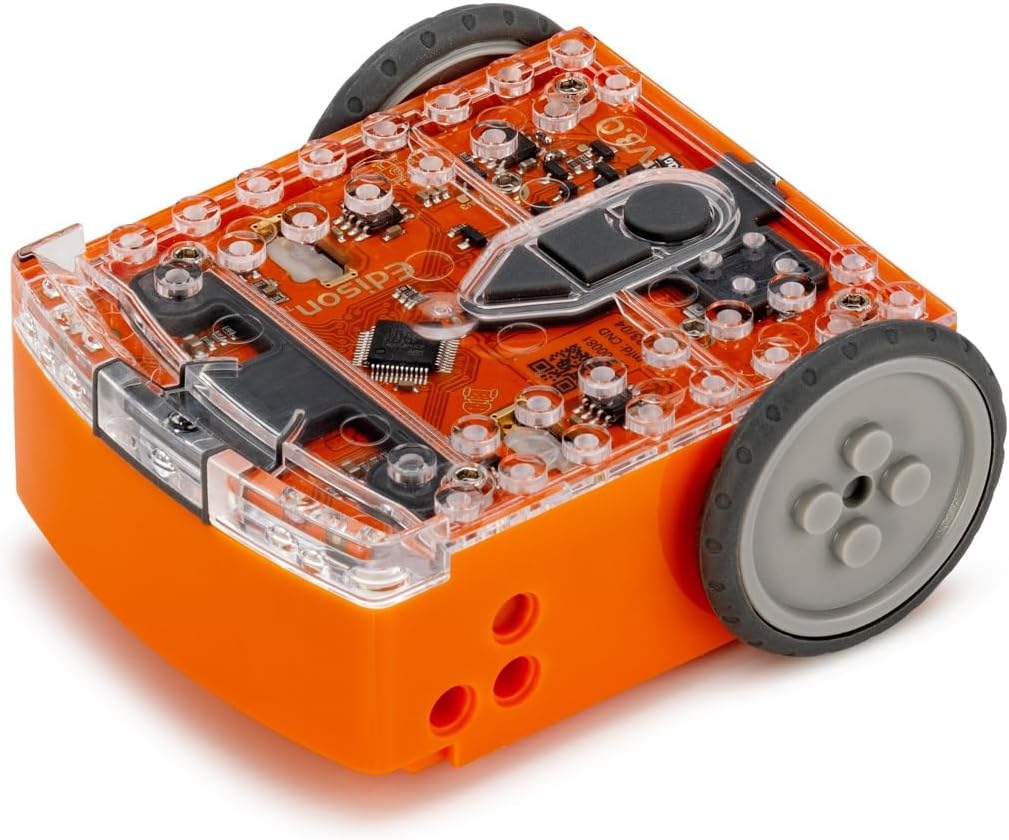
The Ultimate LEGO-Compatible Coding Companion
The Edison V3 Programmable Robot (check price on Amazon UK) is a fantastic entry point into robotics and programming, particularly for children who love LEGO. Its robust design and compatibility with LEGO bricks allow for endless customisation and creativity, letting kids build their robot into various forms before programming its actions.
Edison V3 supports multiple programming languages, evolving with your child's skills. Beginners can start with graphical drag-and-drop interfaces like EdBlocks, similar to Scratch. As they progress, they can move on to EdPy (based on Python) for more advanced text-based coding. This tiered approach ensures longevity and continuous learning, making it suitable for a wide age range, typically 4-16 years.
The robot comes equipped with various sensors, including light, sound, and line-tracking, enabling it to interact with its environment. It can follow lines, avoid obstacles, respond to claps, and even communicate with other Edison robots. The Edison V3 truly makes coding tangible and exciting, allowing children to see their code come to life in a physical robot.
Currently available on Amazon UK. Prices may vary.
Pros:
- LEGO compatible for creative building
- Multiple programming languages (EdBlocks, EdPy)
- Durable and robust design
- Built-in sensors for interactive learning
- Affordable for its feature set
Cons:
- Requires external batteries
- Learning curve for advanced programming modes
2. BBC micro:bit V2 Educational Board
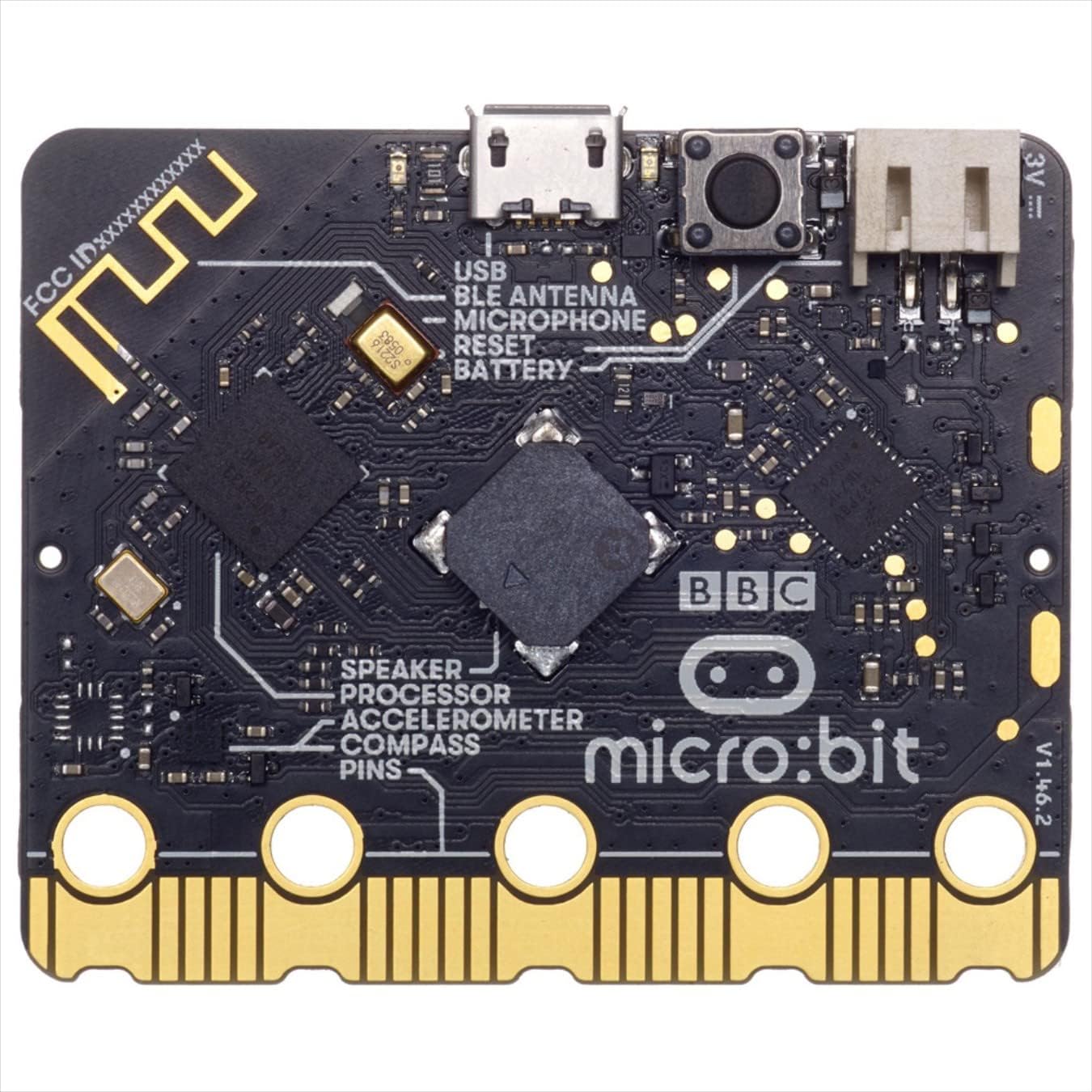
The Compact & Versatile Coding Powerhouse
The BBC micro:bit V2 (find details on Amazon UK) isn't strictly a robot, but it's a tiny, powerful programmable computer designed to make learning to code accessible and fun. Often integrated into school curricula across the UK, it's an excellent tool for children aged 7 and up to explore physical computing.
Kids can program the micro:bit using block-based editors (like MakeCode Editor) directly in their web browser, or transition to Python and JavaScript as they gain confidence. It features 25 LED lights that can display messages and animations, two programmable buttons, light and temperature sensors, a motion sensor (accelerometer and compass), and a built-in speaker and microphone for sound and speech capabilities.
The beauty of the micro:bit lies in its versatility. It can be turned into anything from a simple step counter or a digital compass to more complex projects like a robot bug or a musical instrument when combined with other components. Its small size makes it portable and easy to experiment with anywhere, fostering an exploratory approach to coding. For more on micro:bit, see our dedicated guide on BBC micro:bit V2 vs Arduino Uno.
Available now on Amazon UK — check for current offers.
Pros:
- Highly versatile for countless projects
- Supports Block, Python, and JavaScript coding
- Compact and portable
- Built-in sensors and components (LEDs, buttons, speaker)
- Ideal for STEM education and school projects
Cons:
- Not a robot on its own, often requires additional kits
- Smaller form factor can be fiddly for very young children
3. Sphero BOLT App-Enabled Robotic Ball

The Dynamic & Creative Spherical Coder
The Sphero BOLT (get yours on Amazon UK) is much more than just a ball – it's a sophisticated app-enabled robotic sphere designed to teach coding and robotics through play. With its radiant 8x8 LED matrix, Sphero BOLT offers a vibrant visual feedback mechanism for programming, making it incredibly engaging for children aged 8 and up.
Children can learn to code using the Sphero Edu app, which supports drawing paths for the robot to follow, block-based programming (similar to Scratch), and even JavaScript for more advanced users. The BOLT is packed with advanced sensors, including an accelerometer, gyroscope, infrared communication (allowing interaction with other BOLTs), a light sensor, and a compass. This rich sensor set enables a vast array of projects, from navigating mazes to creating light shows and even multiplayer games.
The unique spherical design means it can roll, spin, and change colour, captivating young learners. Its durable, clear shell allows kids to see the internal components, adding an extra layer of educational insight. For a broader view of coding toys, explore our Best STEM Toys UK 2026 roundup.
Check the latest price for the Sphero BOLT on Amazon UK.
Pros:
- Mesmerising 8x8 LED matrix
- Multi-faceted Sphero Edu app for coding
- Advanced sensors for complex projects
- Durable and transparent design
- Infrared communication for multi-robot play
Cons:
- Requires a compatible smart device
- Higher price point than some entry-level robots
4. Snap Circuits Jr. Plus SC-110
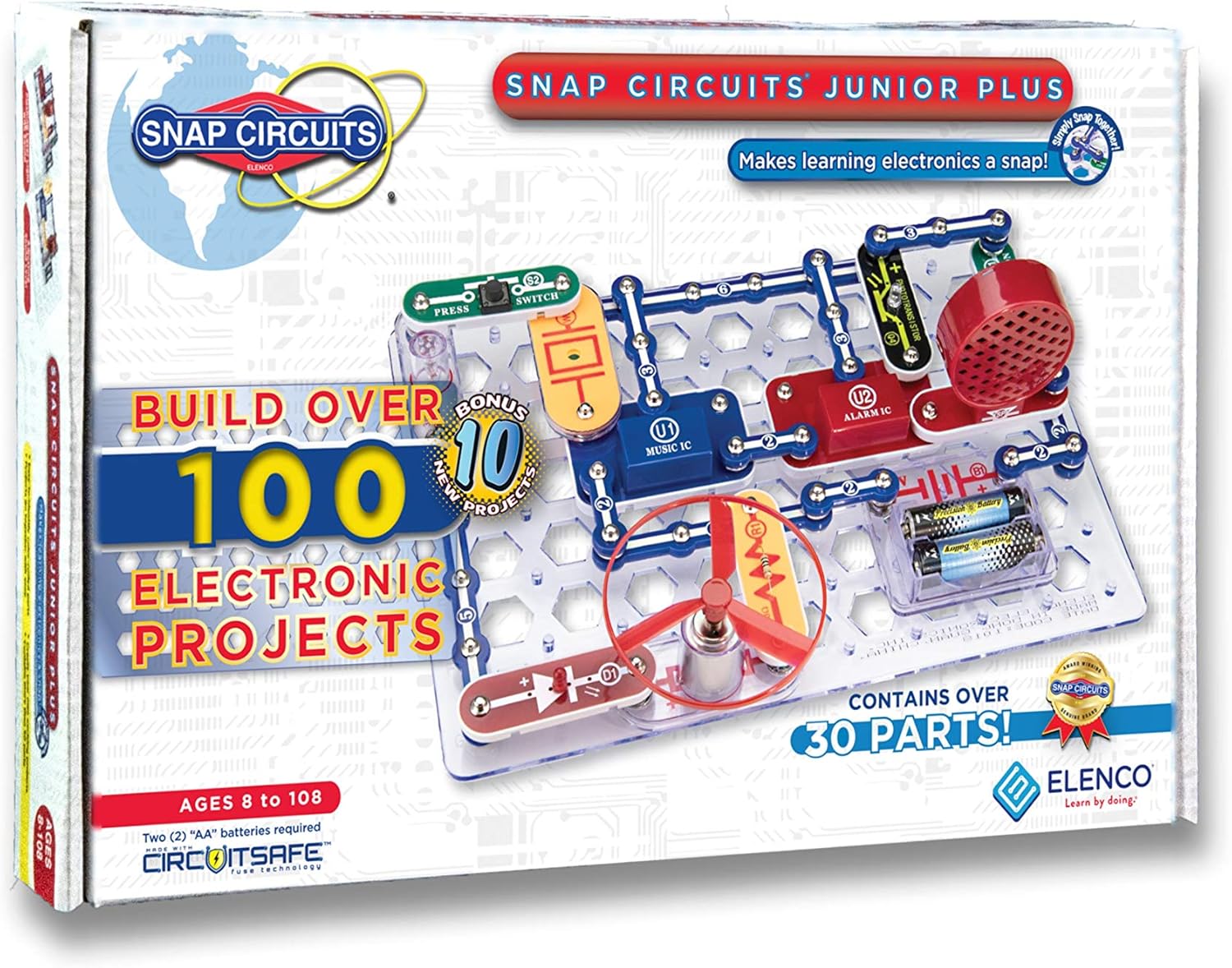
Building Blocks for Electronics & Beyond
The Snap Circuits Jr. Plus SC-110 (see it on Amazon UK) brings the world of electronics to young hands in a fun and safe way. While not a traditional coding robot, it's an indispensable tool for understanding the underlying principles of how circuits work, which is foundational to robotics and programming. Designed for ages 8 and up, this kit allows children to build over 100 projects without any tools, soldering, or wiring.
The components snap together easily on a plastic base grid, making complex circuits simple to assemble. Kids can create working radios, doorbells, light sensors, voice recorders, and much more. Each project teaches about different electronic components and their functions, preparing children for more advanced STEM pursuits. It bridges the gap between theoretical knowledge and practical application, making it an excellent precursor to purely coding-focused toys.
Understanding circuits is like understanding the anatomy of a robot – essential for truly grasping how coding commands translate into physical actions. This kit provides an intuitive way to learn those basics, fostering confidence before diving deeper into advanced coding platforms. For more screen-free options, check out our Best Screen-Free Coding Toys UK 2026 guide.
Grab your Snap Circuits Jr. Plus SC-110 on Amazon UK today! Prices are subject to change.
Pros:
- Teaches fundamental electronics safely
- Over 100 projects with snap-together components
- No tools, soldering, or wiring required
- Excellent for building foundational STEM skills
- Clear, illustrated manual for guidance
Cons:
- Not a coding robot itself, focuses on circuits
- Can be outgrown quickly by advanced learners
5. Botley 2.0 the Coding Robot Activity Set

Screen-Free Coding Fun for Youngsters
The Botley 2.0 the Coding Robot Activity Set (available on Amazon UK) is an award-winning toy designed to introduce coding concepts to children as young as 5 without needing a screen. This makes it a fantastic choice for parents conscious about screen time, offering a hands-on, tangible learning experience.
Botley 2.0 uses a remote programmer to input sequences of commands, which the robot then executes. Kids learn about step-by-step programming, critical thinking, and logical sequencing. It can detect objects, follow lines, navigate obstacle courses, and even has hidden features to unlock. The large, easy-to-press buttons on the remote are perfect for small hands.
With 77 pieces, including coding cards, obstacle-building pieces, and a game board, Botley 2.0 offers engaging challenges that grow with your child. It's a durable and sturdy robot that can withstand enthusiastic play, making it a long-lasting educational investment. This is an excellent choice from our Best Coding Robots for Beginners UK 2026 selection.
Check pricing for Botley 2.0 on Amazon UK and kickstart their coding journey.
Pros:
- Completely screen-free operation
- Ideal for younger children (ages 5+)
- Teaches foundational coding concepts directly
- Durable and robust design
- Includes numerous activity pieces for varied play
Cons:
- Limited in advanced programming capabilities
- Can become less challenging for older children
6. Wonder Workshop Dash Coding Robot
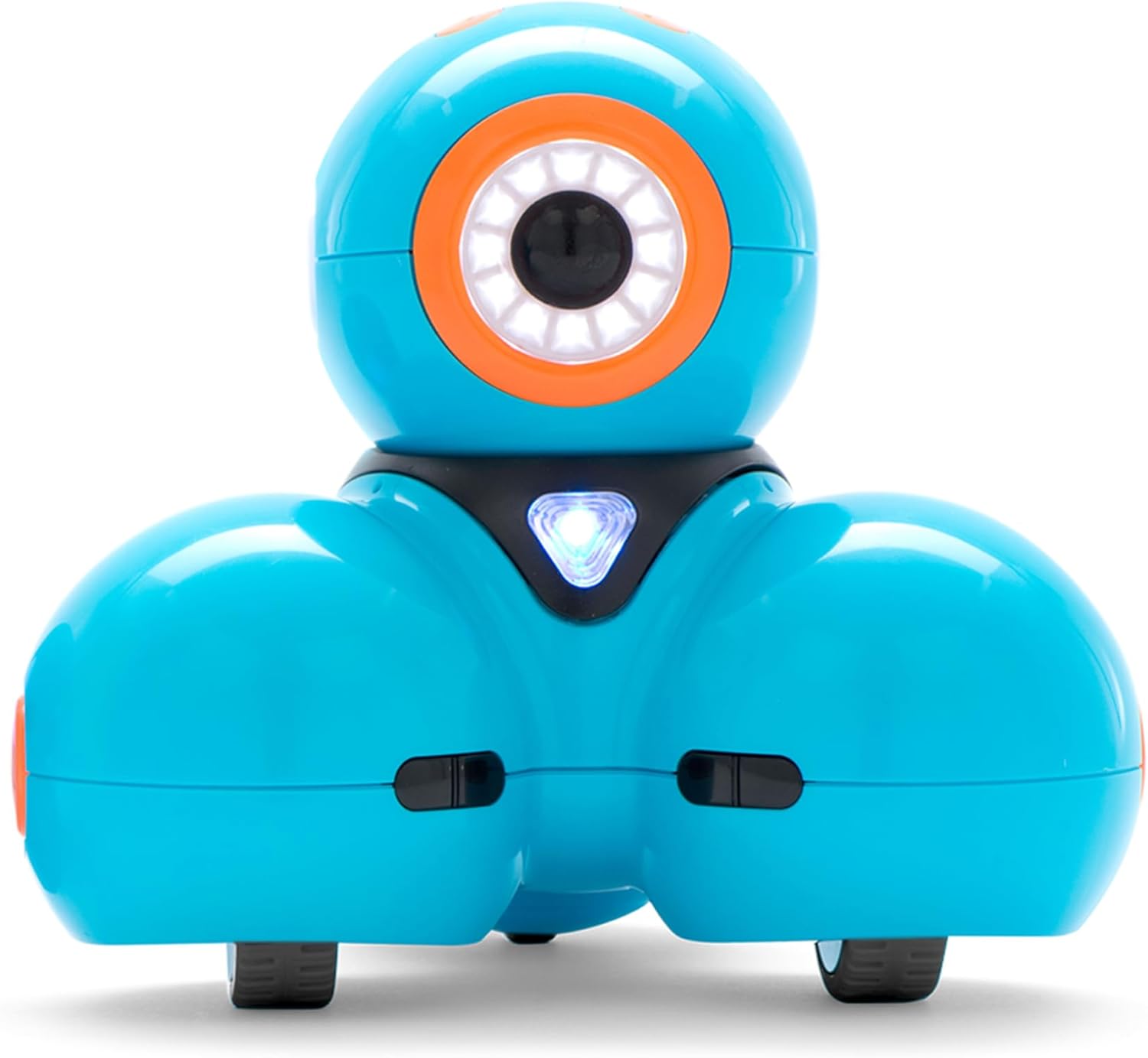
A Playful Robot with Personality
The Wonder Workshop Dash Coding Robot (find out more on Amazon UK) is a charismatic and highly interactive robot designed to make coding delightful for children aged 6 and up. Dash responds to voice commands, dances, sings, and navigates its environment, embodying a friendly personality that captivates young learners.
Dash is programmable using several free apps, including Go, Path, Blockly, and Wonder, all of which offer a progressive learning curve. From drawing paths to executing complex sequences with Blockly, children can develop their computational thinking skills. Dash features multiple sensors, allowing it to detect objects, listen to sounds, and even communicate with other Wonder Workshop robots.
The robust and award-winning design has made Dash a staple in many classrooms. Its compatibility with LEGO bricks further expands its play possibilities, allowing kids to attach custom creations. Dash is an investment in fun and learning, offering a rich and expandable coding experience. It was also featured in our Best Easter Gifts: AI Toys & STEM Kits for Kids UK 2026 roundup.
Explore the Wonder Workshop Dash on Amazon UK for an exciting coding adventure.
Pros:
- Engaging personality with voice response
- Multiple apps for progressive learning (Blockly, Wonder)
- Durable, award-winning classroom-ready design
- LEGO compatible
- Rich sensor set for interactive play
Cons:
- Requires frequent charging for prolonged play
- App-dependent for full functionality
7. Ozobot Evo Color Code Education Robot Kit

The Pocket-Sized Powerhouse for Colour Coding
The Ozobot Evo Color Code Education Robot Kit (available on Amazon UK) is a tiny robot that packs a mighty punch when it comes to teaching coding. Designed for children aged 6 and up, Ozobot Evo excels at introducing fundamental programming concepts through both screen-free and app-enabled methods, making it incredibly versatile.
Its most unique feature is its ability to follow lines and react to colour codes drawn on paper with markers. Each colour sequence represents a command (e.g., turn left, speed up, spin), teaching children logic and problem-solving kinesthetically. This screen-free approach is brilliant for young learners to grasp cause and effect in programming.
For more advanced coding, the OzoBlockly editor (based on Google's Blockly) allows drag-and-drop programming on a screen, opening up a world of customisable behaviours. Evo features LED lights, a speaker, and proximity sensors, allowing for interactive play and even social features with other Ozobots. It's a tiny marvel that makes a big impact on a child's coding journey.
Find the Ozobot Evo Color Code Education Robot Kit on Amazon UK and start coding with colours.
Pros:
- Innovative screen-free colour coding method
- Progresses to block-based (OzoBlockly) coding
- Compact and portable design
- Engaging LEDs, speaker, and sensors
- Ideal for introducing early coding logic
Cons:
- Small size can be lost easily
- Requires markers for screen-free play (consumable)
Comparison Table: Best Coding Robots for Kids UK 2026
| Robot | Age Range | Coding Method | Screen-Free Option | Key Feature | Price Range (approx) |
|---|---|---|---|---|---|
| Edison V3 | 4-16 | Blocks, Python | ❌ | LEGO compatible | £35-£50 |
| BBC micro:bit V2 | 7+ | Blocks, Python, JS | ❌ | Versatile programmable board | £15-£25 |
| Sphero BOLT | 8+ | Draw, Blocks, JS | ❌ | 8x8 LED matrix, app-enabled | £130-£150 |
| Snap Circuits Jr. Plus | 8+ | N/A (Electronics) | ✅ | Build over 100 circuits | £30-£45 |
| Botley 2.0 | 5+ | Remote Programmer | ✅ | Completely screen-free | £50-£70 |
| Wonder Workshop Dash | 6+ | Blocks, Path, Wonder | ❌ | Voice-activated personality | £120-£140 |
| Ozobot Evo | 6+ | Colour Codes, Blocks | ✅ | Colour code detection | £70-£90 |
How to Choose the Right Coding Robot for Your Child
Selecting the perfect coding robot involves considering several factors to ensure it aligns with your child's age, interests, and learning style. Here's what to look for:
- Age Appropriateness: Robots for younger children (3-6) often focus on tactile, screen-free interaction and basic sequencing. Older children (7+) can handle more complex block-based coding and even text-based languages.
- Coding Method: Do you prefer screen-free coding with physical buttons or colour codes? Or is a tablet/computer-based block coding environment more suitable? Consider how hands-on or digital your child prefers to learn.
- Durability: Kids can be tough on toys. Look for robust construction that can withstand drops and bumps, especially if the robot will be used frequently or in a classroom setting.
- Expandability & Longevity: Can the robot grow with your child? Does it offer multiple programming levels? Is it compatible with other systems like LEGO, or does it have accessories that can extend its play value?
- Educational Value: Beyond just moving, does the robot offer sensors, challenges, and opportunities for problem-solving? Research features like line-following, obstacle avoidance, sound, and light interaction.
- Battery Life & Charging: Consider how long the robot lasts on a charge and the convenience of its charging method (USB vs. proprietary). Long playtimes are always a bonus.
- Price: Coding robots range widely in price. Set a budget, but remember that a slightly higher investment can often mean more features, better durability, and greater longevity.
Frequently Asked Questions (FAQs)
Q1: What is the best age to start learning coding with robots?
A: Children can start as early as 3-4 years old with simple screen-free robots that teach basic sequencing and directional commands. More complex block-based coding is suitable from 5-7, and text-based coding (like Python) from 8-10 years old, depending on the child's interest and aptitude.
Q2: Are coding robots worth the investment?
A: Absolutely. Coding robots are more than just toys; they are educational tools that teach critical 21st-century skills such as problem-solving, logical reasoning, computational thinking, and creativity. They make learning engaging and fun, providing a strong foundation for future STEM success.
Q3: Can coding robots be used in schools?
A: Yes, many coding robots, such as the BBC micro:bit, Wonder Workshop Dash, and Edison robots, are specifically designed for classroom use and are integrated into school curricula worldwide. They are excellent for group activities and collaborative learning.
Q4: Do all coding robots require a screen?
A: No. Many excellent coding robots, like Botley 2.0 and Ozobot Evo (when using colour codes), offer entirely screen-free programming options. These are great for reducing screen time while still delivering powerful educational benefits.
Q5: What's the difference between coding robots and STEM toys?
A: Coding robots are a specific type of STEM toy that focuses on teaching programming and robotics. STEM (Science, Technology, Engineering, Mathematics) toys cover a broader range of educational concepts across all these disciplines. All coding robots are STEM toys, but not all STEM toys are coding robots.
Conclusion: Empowering Future Innovators
Choosing the best coding robot for your child is an investment in their future. These engaging educational tools do more than just entertain; they equip young minds with invaluable skills for a world increasingly shaped by technology. Whether your child is taking their first steps into programming with a screen-free bot or diving deep into complex algorithms with an app-enabled marvel, the joy of seeing their code bring a robot to life is a truly empowering experience.
We hope this guide has illuminated the fantastic options available in the UK for 2026. Remember to consider your child's age, interests, and how they learn best. Happy coding!
Speak to a qualified financial adviser for personal guidance, or a qualified educator for specific learning advice.
You Might Also Like
Best STEM Kits Under £100 UK 2026 — 7 Top Picks for Every Age
Looking for the best STEM kits under £100 in the UK? Our 2026 guide covers 7 top-rated coding robots and electronics kits for ages 5–14. Real picks, real prices.
Best Screen-Free Coding Toys UK 2026 — 6 Top Picks for Device-Free Learning
The best screen-free coding toys for kids in the UK — no tablet, no smartphone required. Expert picks for every age from 5 to 14, with honest pros and cons.
Best Coding Robots Under £50 UK 2026 — 5 Top Picks for Every Age
The best coding robots under £50 in the UK — expert picks for ages 4-14. Affordable STEM toys that actually teach real coding skills. Real reviews, honest prices.