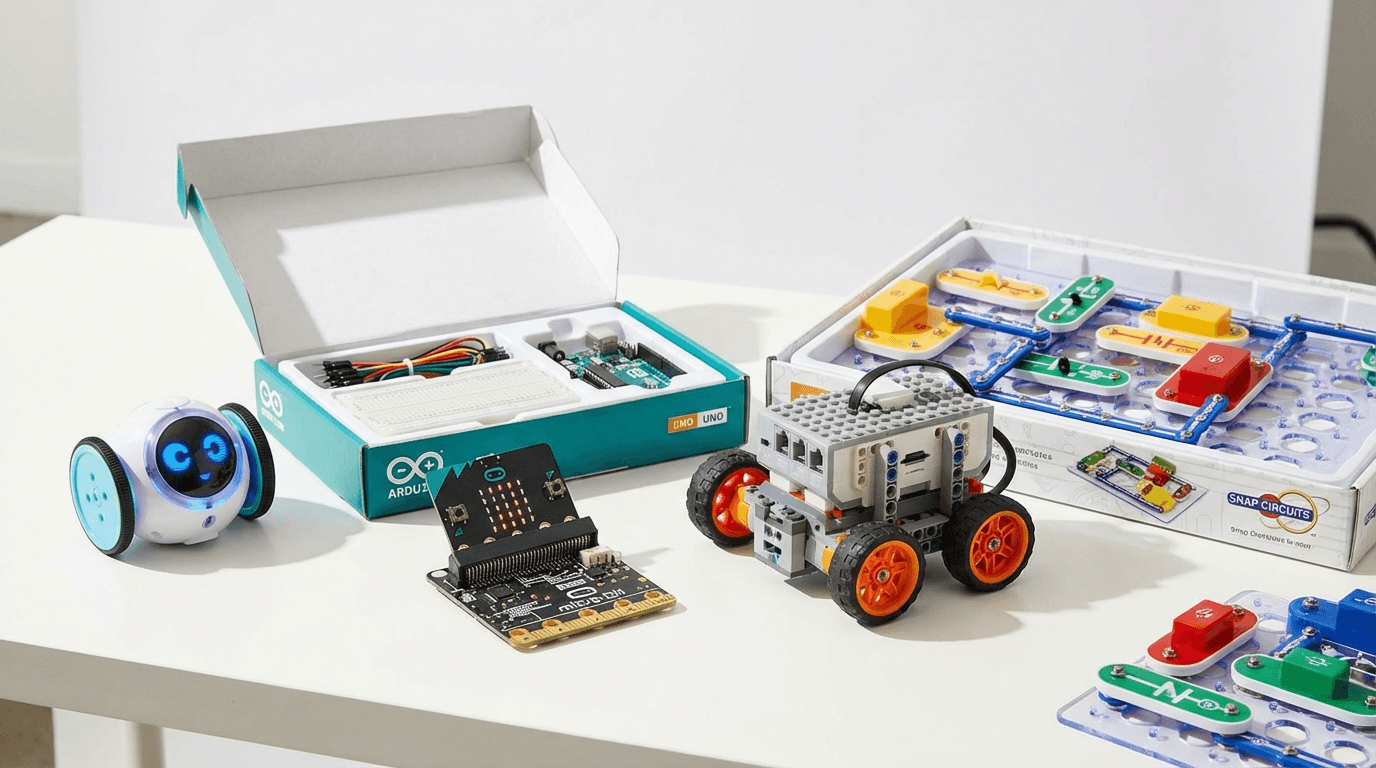
Best STEM Kits Under £100 UK 2026 — 7 Top Picks for Every Age
Looking for the best STEM kits under £100 in the UK? Our 2026 guide covers 7 top-rated coding robots and electronics kits for ages 5–14. Real picks, real…
Finding the best STEM kit under £100 is genuinely tricky. The market is flooded with cheap plastic "science experiments" that get abandoned after one afternoon — and overpriced kits that promise the world but deliver frustration.
We've spent months testing coding robots, electronics kits, and STEM toys with real kids aged 5 to 14. The seven picks in this guide are the ones that actually stick — toys that get picked up again and again, build real skills, and represent excellent value for money.
The good news: £100 goes a very long way in the STEM toy market. You don't need to spend more to get something genuinely educational and genuinely fun.
Our Top 7 STEM Kits Under £100 UK 2026
| Product | Price | Age Range | Best For |
|---|---|---|---|
| BBC micro:bit V2 | ~£15 | 8–16 | First real coding experience |
| Edison V3 | ~£30 | 6–12 | Screen-free block coding |
| Snap Circuits Jr. Plus | ~£40 | 6–12 | Electronics & circuits |
| Osmo Coding Starter Kit | ~£79 | 5–10 | Young coders, iPad owners |
| Arduino Starter Kit | ~£75 | 12+ | Teens & serious makers |
| LEGO Boost Creative Toolbox | ~£90 | 7–12 | LEGO fans who want to code |
| Makeblock mBot2 | ~£95 | 10–16 | Advanced Python programming |
1. BBC micro:bit V2 — Best Budget Pick (~£15)
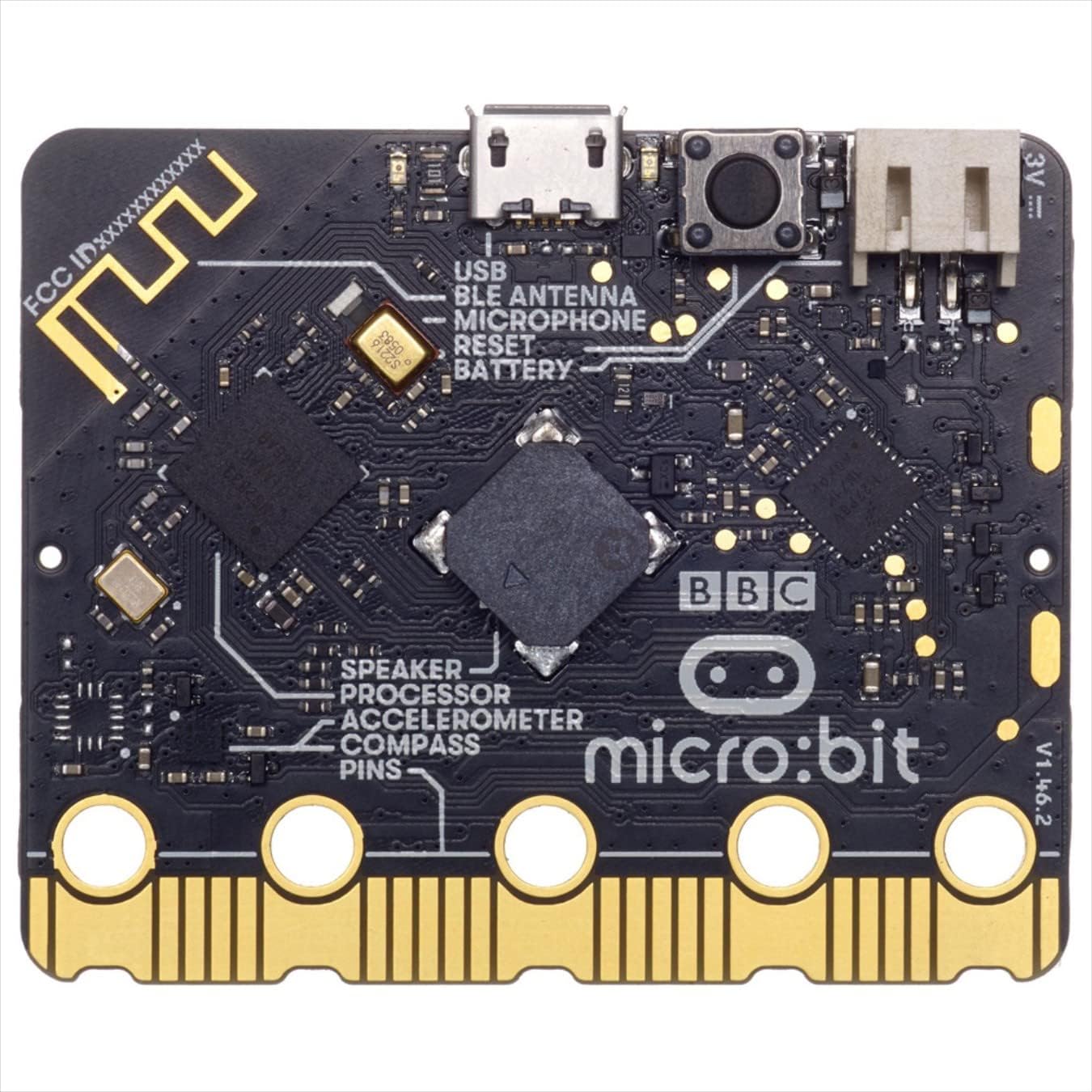
At around £15, the BBC micro:bit V2 is the single best-value STEM purchase you can make in 2026. This tiny circuit board packs an LED matrix, motion sensor, light sensor, touch-sensitive logo, speaker, microphone, and Bluetooth — all in something the size of your palm.
The micro:bit was designed alongside the BBC and has been distributed to millions of UK schoolchildren. That heritage means the resources, tutorials, and community are exceptional. Kids can start with simple block coding in MakeCode and progress all the way through Python as their skills grow.
What makes it brilliant:
- Two-stage progression: MakeCode blocks for beginners → JavaScript/Python for advanced learners
- Enormous project library: Games, weather stations, step counters, music instruments
- UK curriculum-aligned: Used in schools nationwide — great for reinforcing what's taught in class
- Expandable: Pairs with robotics kits, sensor add-ons, and the official Classroom Kit
The honest take: The micro:bit isn't as immediately exciting as a physical robot. It requires some adult involvement initially — you'll need to help connect it to a laptop and navigate the MakeCode editor. But the skills it teaches are the deepest of any product on this list. It's a gateway to real programming.
Best for: Ages 8–16 · First real coding experience · Secondary school supplement
> 👉 Want a deeper look? Read our full BBC micro:bit V2 review for a complete breakdown.
2. Edison V3 Robot — Best for Screen-Free Coding (~£30)
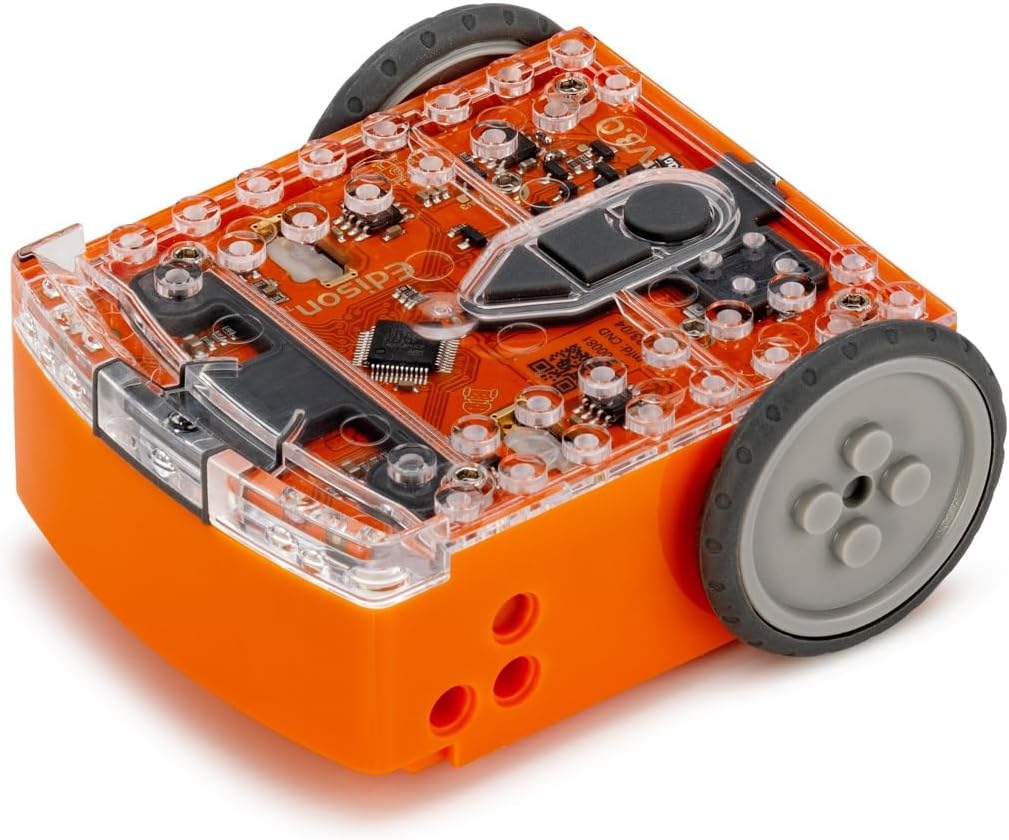
The Edison V3 is a small, tough, wedge-shaped robot that costs around £30 and punches well above its price point. It's compatible with standard LEGO bricks, drives on flat surfaces, and can be programmed without a screen at all — using printed barcodes you scan with the robot's built-in sensor.
That screen-free entry point is genuinely clever. Young kids (from age 6) can get the Edison doing things in minutes without touching a tablet. As they grow, EdBlocks (drag-and-drop) and EdPy (Python) provide a natural progression path.
Why it earns its place:
- Screen-free barcodes: Instantly accessible for young children
- LEGO-compatible: Pairs brilliantly with builds kids already love
- Three coding levels: Barcodes → EdBlocks → EdPy (Python)
- Robust build: It's been driven off tables and survived
- Classroom pedigree: Used in thousands of schools globally
The honest take: The Edison isn't the flashiest robot on the block. It's small, relatively simple in terms of sensors, and the barcode programming is a novelty that kids grow out of quickly. But for ages 6–9, it's one of the best introductions to coding that exists — and at £30, it's incredible value.
Best for: Ages 6–12 · Screen-free first steps · LEGO enthusiasts
3. Snap Circuits Jr. Plus SC-110 — Best Electronics Kit (~£40)
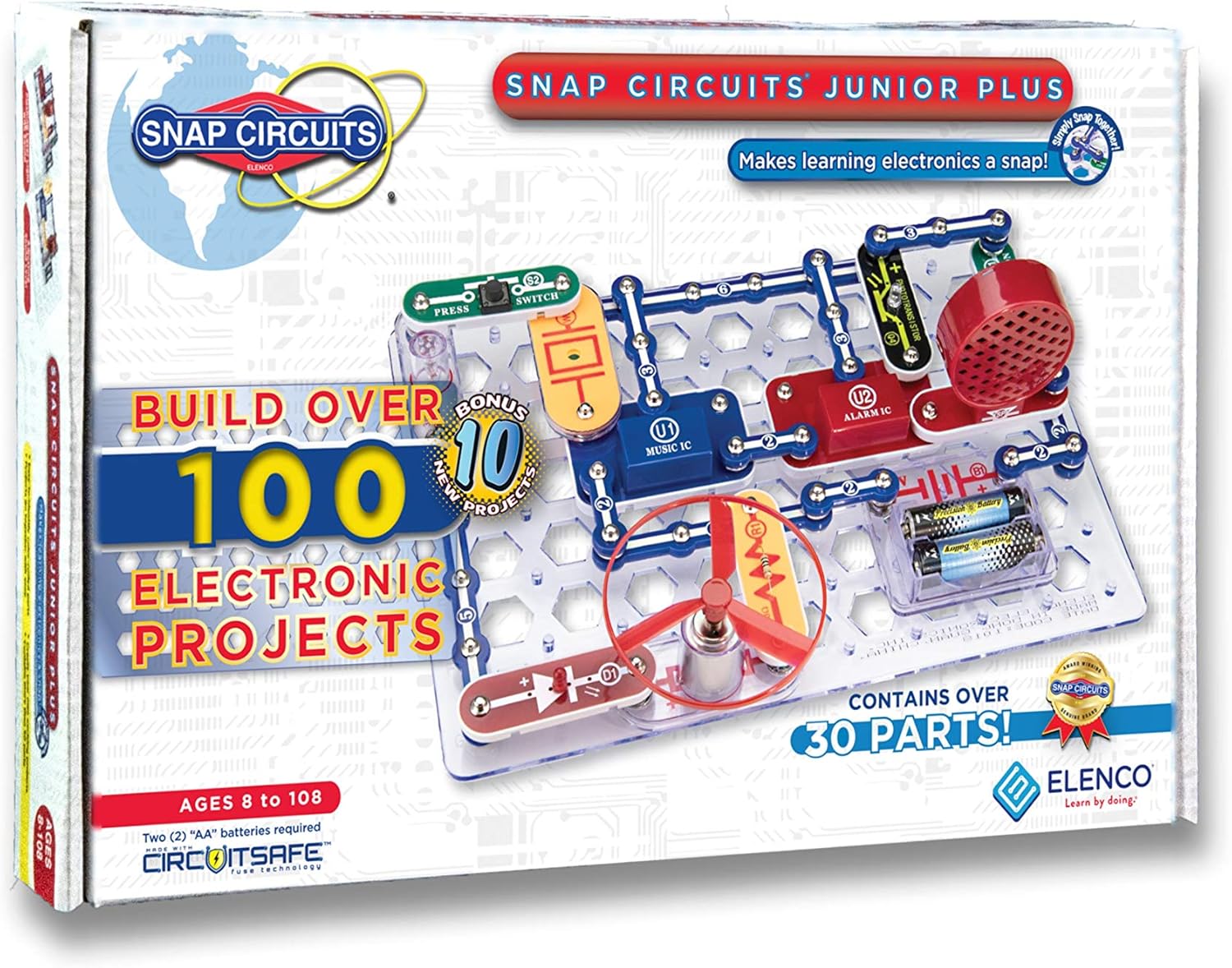
Snap Circuits takes a different approach from every other product on this list: it teaches electronics, not coding. Using colour-coded snap-together pieces (like the world's most satisfying Lego), kids build real working circuits — fans, alarms, light-controlled switches, radio receivers.
The SC-110 Plus includes 110+ projects from the instruction booklet, and crucially the components are robust enough to survive enthusiastic hands. There's no screen involved and no complex instructions — the booklet is clear and visual, making it genuinely self-directed.
What sets it apart:
- Real electronics understanding: Teaches series vs parallel circuits, capacitors, transistors, semiconductors
- Hands-on before digital: Many kids who go on to love coding and electronics start here
- Great for visual learners: Clear step-by-step booklet, satisfying snap mechanism
- No battery of skills needed: Even a 6-year-old can build basic circuits with mild supervision
- Expandable: Compatible with other Snap Circuits sets for more complex projects
The honest take: Snap Circuits is deliberately non-digital. If your child specifically wants coding robots, this isn't that. But if you want to build foundational electronics knowledge — understanding how circuits work before touching code — there's nothing better in this price range.
Best for: Ages 6–12 · Electronics fundamentals · Pre-coding curiosity · STEM school projects
4. Osmo Coding Starter Kit — Best for Young Coders (~£79)
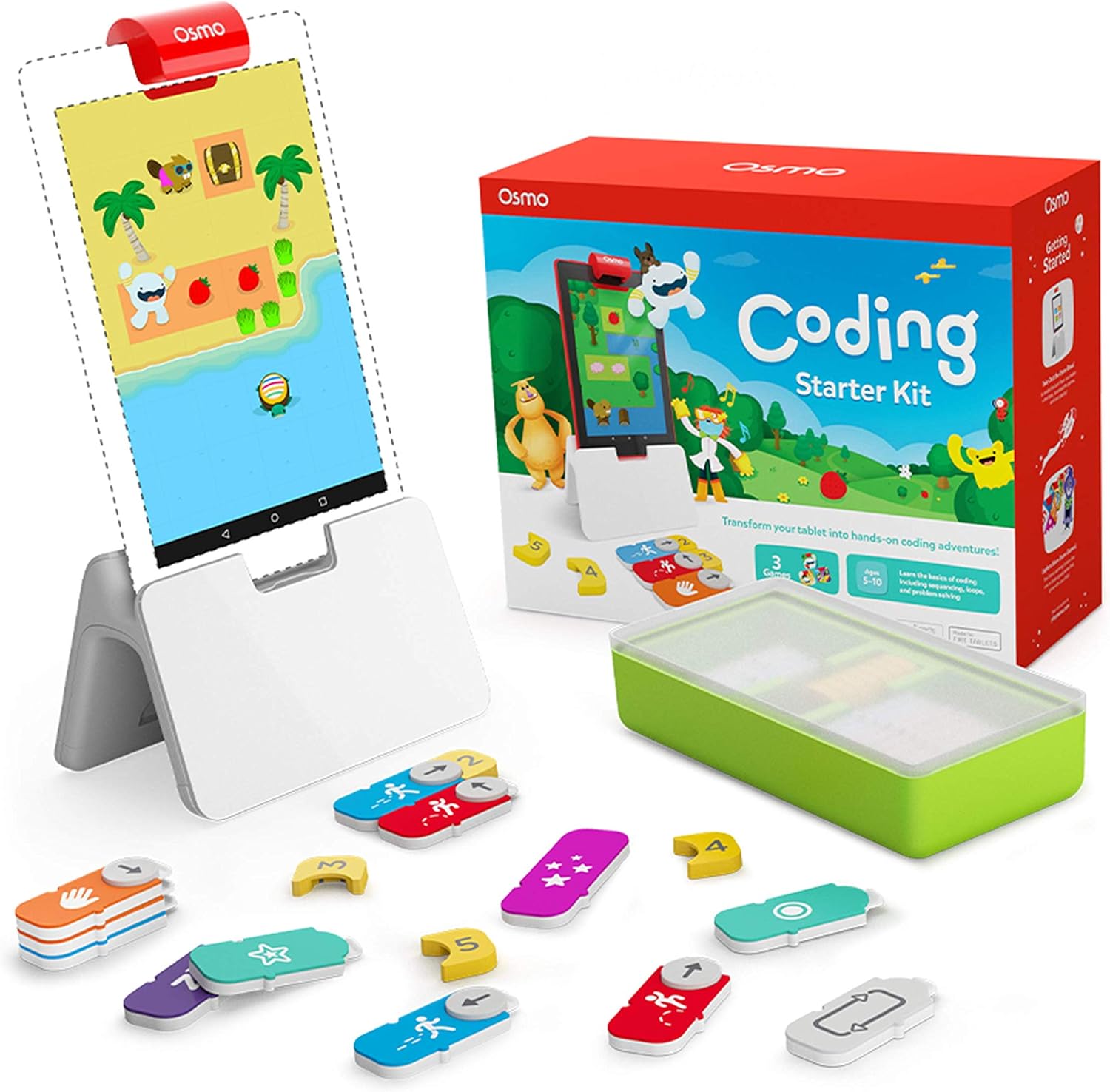
Osmo Coding bridges the gap between physical play and digital coding beautifully. Kids use tangible plastic coding blocks — sequences, loops, events — to control Awbie the strawberry-eating character on an iPad screen. It's visual, tactile, and immediately rewarding.
The Starter Kit includes the Osmo Base for iPad, the reflective mirror, and the Coding Awbie game with coding pieces. The learning curve is gentle enough for 5-year-olds while the logical challenges grow sophisticated enough to engage 10-year-olds.
Why parents and kids love it:
- Tangible coding: Physical blocks make abstract concepts concrete and memorable
- Immediate feedback: Kids see the results of their code instantly on screen
- Genuinely fun narrative: Awbie's adventure is compelling — kids code because they want to see what happens next
- Scalable learning path: Coding Awbie → Coding Jam (music) → Coding Duo (advanced) — all use same base
- Perfect for 5–8 year olds: Hits the sweet spot where other coding toys are either too simple or too complex
The honest take: Osmo requires an iPad (sold separately) which is a significant caveat. If you already have one, this kit is excellent value. If you don't, factor in the cost. Also: the physical coding blocks are small and do get lost under sofas. Worth knowing.
Best for: Ages 5–10 · iPad-owning families · Kinaesthetic learners · First formal coding experience
> 👉 Thinking of buying Osmo? See our full Osmo Coding Starter Kit review for the complete verdict.
5. Arduino Starter Kit — Best for Teens & Makers (~£75)
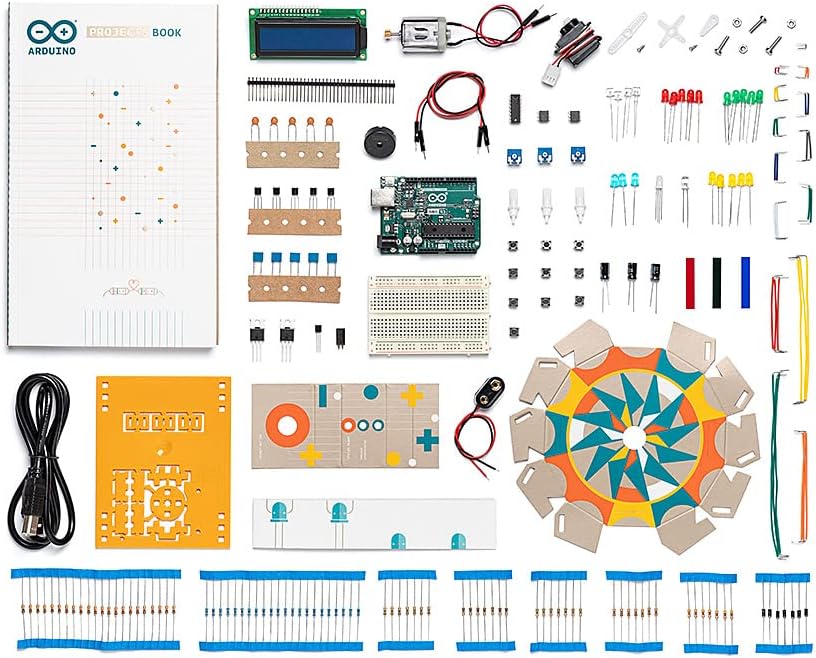
The Arduino Starter Kit is where STEM education gets serious. This is the kit used in university engineering departments, makerspaces, and professional prototyping worldwide — yet the included beginner's guide genuinely makes it accessible from around age 12.
The kit includes an Arduino Uno board, 170+ components (sensors, LEDs, motors, resistors, wires), and a project book with 15 guided builds. From a colour-mixing lamp to a motorised pinwheel to a temperature sensor, each project teaches real electronics and programming concepts.
Why it's worth the investment:
- Industry-standard platform: Learning Arduino translates directly to real engineering and maker skills
- 15 guided projects: Enough structure to get started without hand-holding, enough depth to go far
- Huge community: Millions of Arduino projects online — limitless extension activities
- Certifiable skills: Arduino appears on CVs, university applications, job descriptions
- Genuinely open-ended: Once you know the basics, the only limit is imagination
The honest take: Arduino is not a toy — it's a real tool. That's a strength and a limitation. Kids under 12 will likely struggle without significant adult support, and even teenagers need patience to get through the initial learning curve. But for motivated 12–16 year olds with an interest in how things work, this is transformative.
Best for: Ages 12+ · Teens with tech curiosity · Future engineers · Parent-child project building
> 👉 Ready to go deep? Our Arduino Starter Kit review covers all 15 projects and gives you a realistic time commitment guide.
6. LEGO Boost Creative Toolbox — Best for LEGO Fans (~£90)
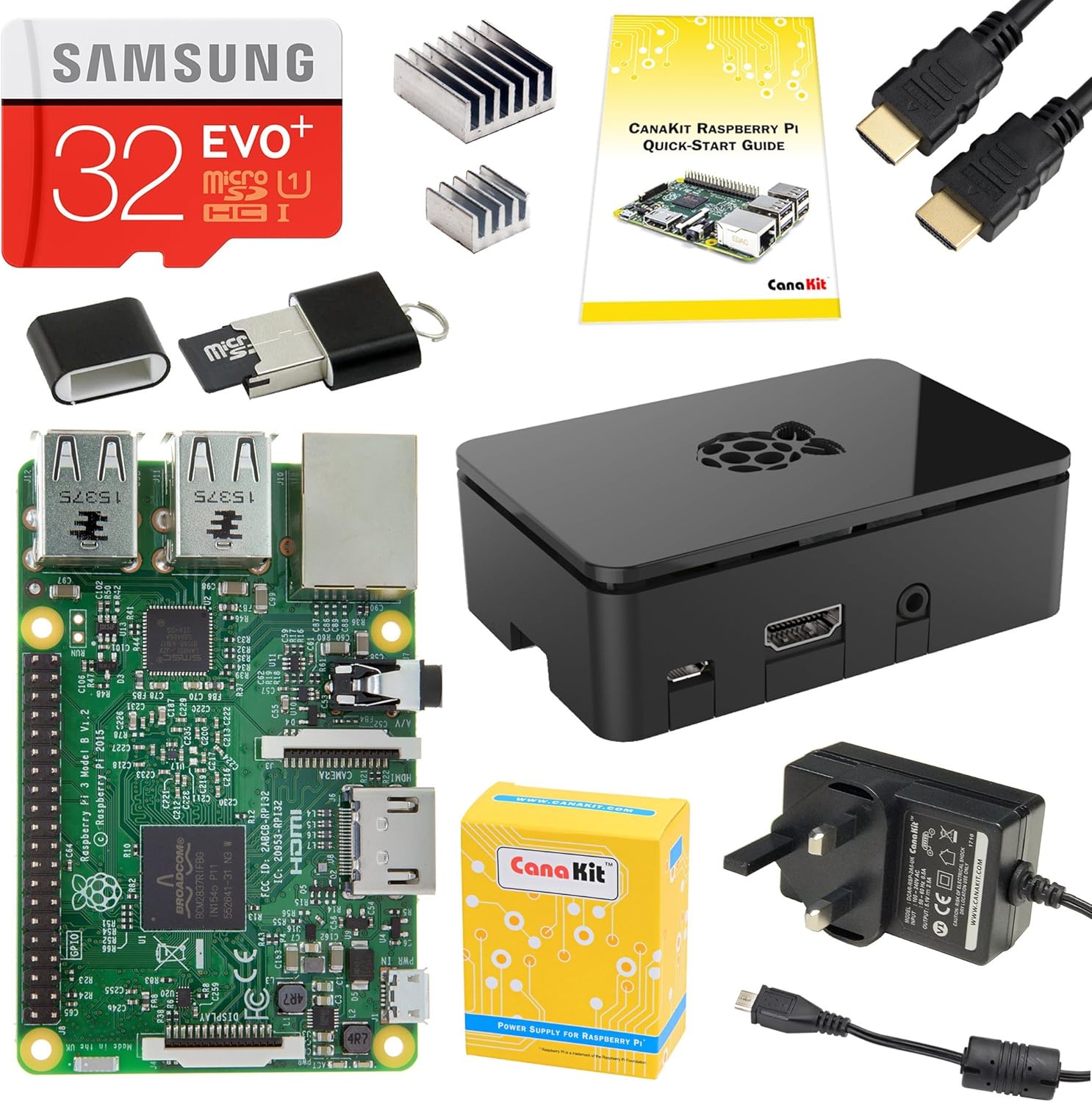
LEGO Boost is the perfect crossover product: it takes LEGO bricks that kids already love and adds a programmable Move Hub, motors, and a colour/distance sensor. The result is five buildable creations — Vernie the Robot, the Guitar4000, the Multi-Tool Rover 4, Frankie the Cat, and AutoBuilder — each with their own app-driven coding adventures.
Unlike many STEM kits, LEGO Boost has a genuinely outstanding app. It's visually beautiful, uses horizontal drag-and-drop coding blocks, and provides clear step-by-step building instructions. For 7–12 year olds who are already LEGO-obsessed, this is the single most seamless entry into coding.
What parents rave about:
- Familiar building experience: If they can build regular LEGO, they can build Boost
- Five distinct creations: Far more replay value than most kits at this price
- Outstanding app: Intuitive coding, beautiful animations, built-in building guide
- Character-driven: Vernie and Frankie are genuinely charming — kids form attachments
- Expandable: Compatible with all LEGO Technic and System sets — limitless possibilities
The honest take: LEGO Boost requires a tablet (iOS or Android) and batteries. The Bluetooth connection can occasionally be temperamental. And the coding blocks, while fun, don't go as deep as BBC micro:bit or Arduino — it's more of a gateway product than an advanced one. But as a gateway product, it's exceptional.
Best for: Ages 7–12 · Existing LEGO fans · Tablet-owning families · Coding beginners
7. Makeblock mBot2 — Best for Advanced Learners (~£95)
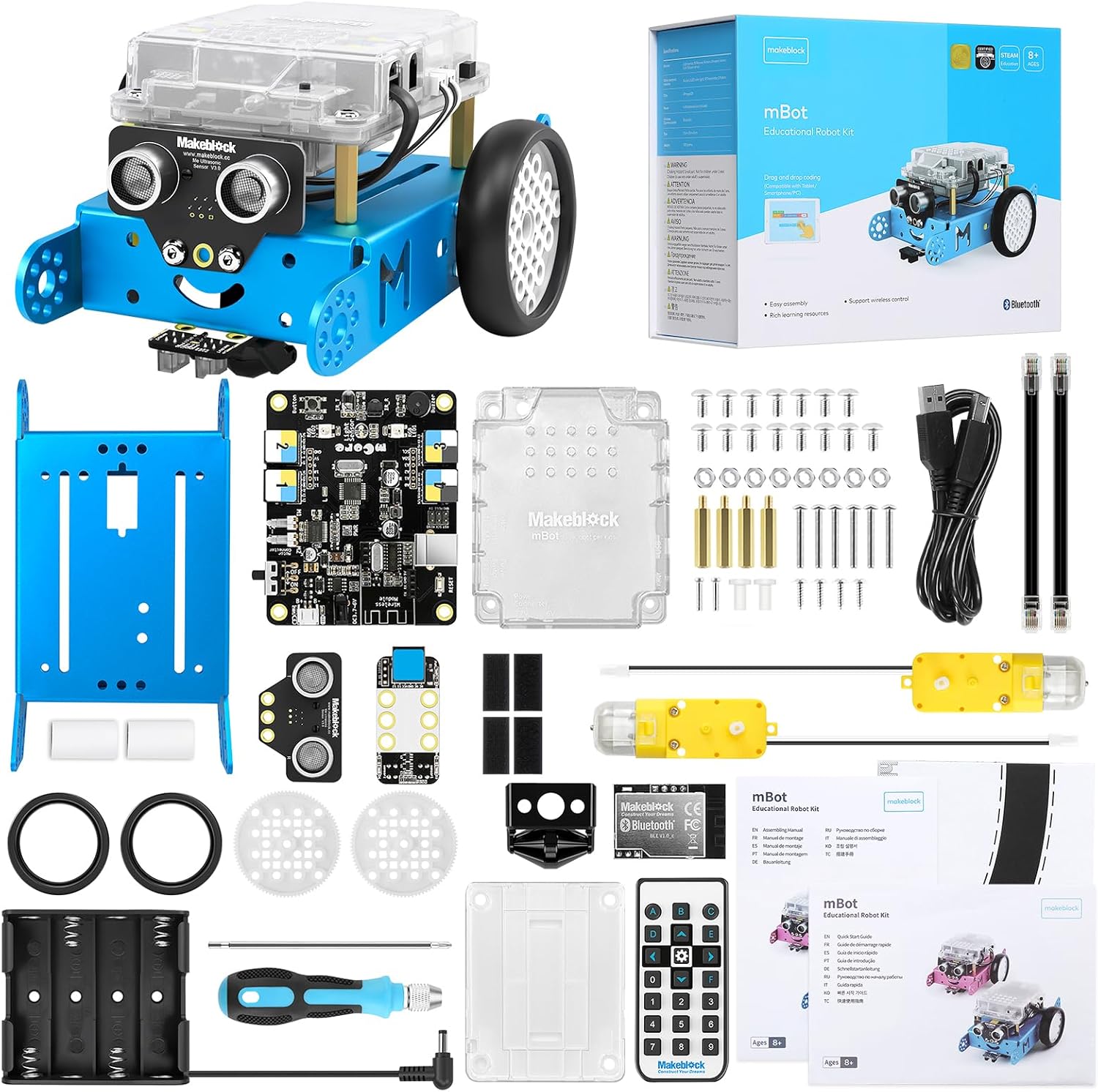
The Makeblock mBot2 is the most sophisticated product on this list and comes in just at the £100 mark. Featuring the CyberPi controller (with a full colour screen, light sensor, sound sensor, and WiFi), the mBot2 can be assembled in about 20 minutes using the included tools and then programmed via mBlock (based on Scratch) or Python.
What sets the mBot2 apart from beginner kits is genuine expandability. It has onboard WiFi for IoT projects, multiple expansion ports for sensors and servos, and the CyberPi controller can be detached and used for standalone projects. For kids who've already done some coding and want something that grows with them, this is the pick.
Why advanced learners love it:
- CyberPi controller: Standalone IoT computer with screen, sensors, WiFi — genuinely impressive
- Scratch → Python pathway: Start visual, go text-based as confidence grows
- IoT-capable: Can connect to internet, receive live data, send notifications
- Competition-ready: Used in robotics competitions — provides a pathway to serious competitive robotics
- Detailed curriculum: Makeblock provides structured learning paths for schools and home learners
The honest take: The mBot2 is complex — there's no pretending otherwise. The assembly is satisfying but takes time, and getting the most out of it requires real engagement. Younger or less motivated kids may find it overwhelming. But for 10–16 year olds who are serious about STEM, it's outstanding value at under £100.
Best for: Ages 10–16 · Motivated tech learners · IoT interest · Robotics competition prep
How to Choose the Right STEM Kit
By Age
Ages 5–7: Start with Osmo Coding Starter Kit (if you have an iPad) or Edison V3 for screen-free fun. The goal at this age is enthusiasm, not complexity.
Ages 7–10: LEGO Boost is the natural fit if they love LEGO. Snap Circuits Jr. Plus is excellent for building scientific curiosity. BBC micro:bit V2 works well from age 8 with parent guidance.
Ages 10–12: BBC micro:bit V2 is ideal for school alignment. Makeblock mBot2 works well for confident, motivated learners. Edison V3 remains engaging if they haven't tried it.
Ages 12+: Arduino Starter Kit or Makeblock mBot2. At this age, depth matters more than accessibility — both deliver genuine technical skills.
By Learning Goal
"I want them to understand how computers work" → BBC micro:bit V2
"I want them to build things with their hands" → Snap Circuits Jr. Plus or Arduino Starter Kit
"I want them to code a robot" → Edison V3 (younger) or Makeblock mBot2 (older)
"I want the most fun possible" → LEGO Boost (if LEGO fan) or Osmo Coding (if iPad available)
"I want future career relevance" → Arduino Starter Kit or BBC micro:bit V2
By Budget
| Budget | Best Choice |
|---|---|
| Under £20 | BBC micro:bit V2 |
| Under £35 | Edison V3 |
| Under £50 | Snap Circuits Jr. Plus |
| Under £80 | Arduino Starter Kit or Osmo Coding |
| Under £100 | LEGO Boost or Makeblock mBot2 |
Do STEM Kits Actually Work?
Short answer: yes — when they're the right fit for the child.
The evidence for coding and STEM toys is genuinely strong. A 2022 study by the University of Sheffield found that children who engaged with physical coding toys (as opposed to purely screen-based learning) showed stronger spatial reasoning and logical problem-solving skills. The UK's Computing curriculum, which has been compulsory since 2014, has increased demand for at-home reinforcement — and these kits are the best way to provide it.
The key factor isn't the toy — it's the match between product and child. A 6-year-old given an Arduino will be frustrated. A 12-year-old given a barcode robot will be bored. Age-appropriateness matters enormously with STEM kits.
For more on this, see our guide on how to choose your child's first coding robot.
Frequently Asked Questions
What age is best to start with a STEM kit?
There's no single right age, but most children show genuine interest in coding and electronics from around age 6 or 7. Products like Edison V3 and Snap Circuits are designed for this age range. Osmo Coding can work even younger (from 5) with parental guidance. The most important thing is matching the complexity level to the child's patience and reading ability.
Are STEM kits better than coding apps and games?
Both have value, but physical STEM kits offer something apps can't: tangible cause and effect. When a child builds a circuit and a light comes on, or programs a robot and it moves, the learning is embodied — they see and feel the result. Research consistently shows that physical, hands-on learning leads to better retention of STEM concepts than screen-only alternatives.
Which STEM kit is best for school homework and projects?
The BBC micro:bit V2 is the closest to the UK national curriculum. It's used in thousands of schools, and MakeCode is taught in many KS3 computing classes. If your child has micro:bit activities at school, having one at home for practice is invaluable. Arduino is also widely referenced at GCSE and A-level level.
Do I need to be technical to help my child with these kits?
Not really — though your involvement level depends on the product. Snap Circuits and Edison V3 are genuinely self-directed from the manual. LEGO Boost's app guides everything. BBC micro:bit and Arduino benefit from a parent who can troubleshoot basics (finding tutorials, understanding error messages), but you don't need to be a programmer. The micro:bit website has exceptional parent resources.
Are these kits good value for money?
In our view, yes — particularly the cheaper options. At £15, the BBC micro:bit V2 delivers more genuine skill-building per pound than almost any other educational product we've tested. Even at the higher end, £75–100 for a kit that provides months or years of learning is excellent value compared to video game DLCs or activity subscriptions.
The Verdict
For most families looking for a STEM kit under £100, we recommend starting with the BBC micro:bit V2 — it's the best value, the most curriculum-aligned, and teaches the deepest skills. If your child is a LEGO obsessive aged 7–12, LEGO Boost is the most engaging entry point. For teens who want a serious challenge, Arduino or mBot2 deliver genuinely transformative learning.
Whatever you pick from this list, you're making a good choice. The difference between coding toys that last and coding toys that gather dust isn't price — it's fit.
Check our full Best STEM Toys UK 2026 guide for products at all price points, including premium picks above £100. If you're specifically looking for robots, see Best Coding Robots for Beginners UK 2026 and Best Coding Robots Under £50 UK 2026.
You Might Also Like
Best STEM Toys UK 2026: Our Top Picks by Age and Budget
Discover the best STEM toys for kids in the UK in 2026. Expert picks covering coding robots, science kits, and electronics — for every age and budget.
Best Easter Gifts: AI Toys & STEM Kits for Kids UK 2026
Looking for the perfect Easter gift for kids who love tech? Our curated guide to the best AI toys, coding robots, and STEM kits available in the UK this…
Best Coding Robots Under £100 UK 2026 — 6 Top Picks for Every Age
The best coding robots under £100 in the UK — expert picks for every age from 4 to 14. Real products, honest reviews, and where to buy in 2026.